
Land Surveying Software Problems: The 7 That Cost Real Money, and How to Avoid Them
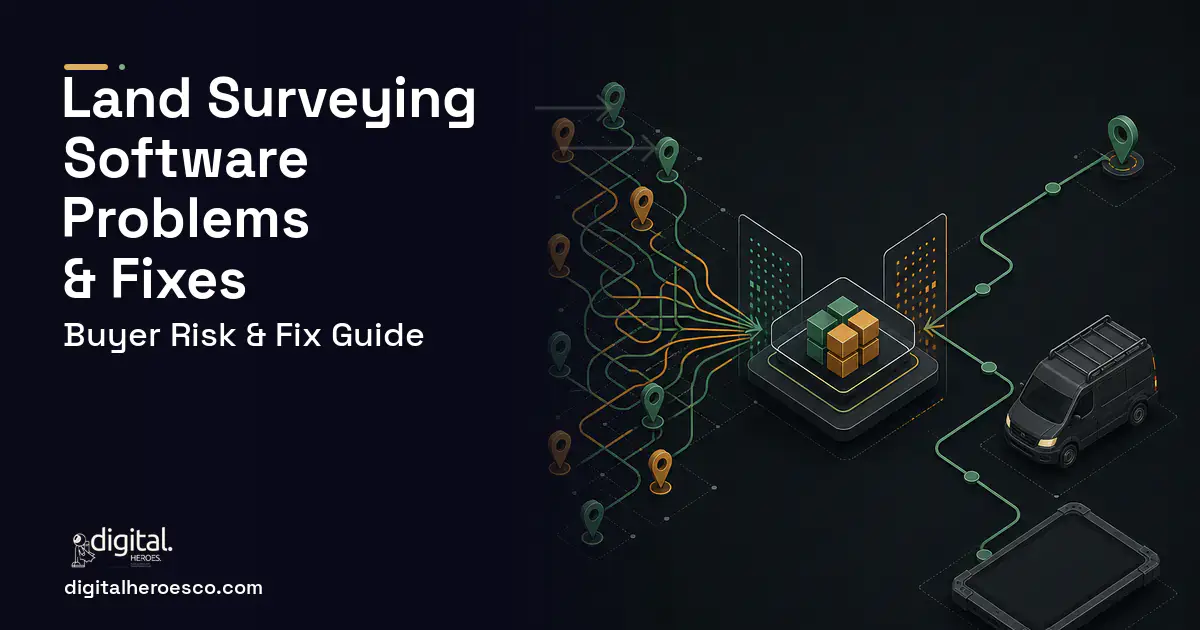
The most expensive failure mode in land surveying software is dispatch built as a calendar. A crew assignment is only valid if the party chief holds the right licence for that state and job type, the crew has the right instrument for the site, drive time from the previous job fits the day, right of entry is executed, the locate ticket is active rather than expired, and the client access window is open. A calendar checks none of that, so the truck leaves and comes back. In the firms we work with, the loaded cost of a crew day sits somewhere in the region of $1,800 to $2,400, and a firm re mobilising twice a month for reasons that were knowable before dispatch is spending the price of the scheduling build every year and calling it overtime.
Why does crew dispatch get scoped as a calendar?
Because that is what every adjacent product looks like, and because the request sounds simple. Somebody says they need to see who is going where tomorrow, a developer shows a drag and drop board, and everyone agrees it is an improvement on the whiteboard. It is, marginally, and it leaves the actual problem untouched.
Scheduling a survey crew is a constraint problem wearing a calendar's clothes. Seven things have to line up at once, and six of them live in different places. The party chief's licence and its state, the instrument class the job needs against what the crew has, drive time from the previous stop, right of entry status, locate ticket number and expiry, whether control from a prior visit is still recoverable, and the client's access window. General field service products model a technician and an appointment, which is correct for trades and structurally wrong here, because none of them know that a rover is the wrong instrument for a heavy canopy topo or that a locate ticket expires on a date.
So the constraints stay in the coordinator's head, which is why the board degrades the week they take leave and why nobody else can rebuild it.
Specify the crew, the instrument and the certification as entities with real attributes rather than as labels on a schedule. Party chief carries licence number, state, expiry and cleared job types. Instrument carries type, calibration date and current assignment. Job carries required instrument class, required certification, right of entry status, locate ticket and expiry, and access window. Then dispatch proposes a board and shows violated constraints before anyone commits, and when an instrument goes out of service the system names the four assignments across the next fortnight that just became invalid. That behaviour is the highest return item in this category and no general product will ship it, because the constraint set only exists in surveying.
What goes wrong when you migrate the job log and the shared drive?
The spreadsheet is the easy half. Job numbers, clients and dates import cleanly in a few days, and everyone concludes migration is straightforward. Then you reach the shared drive.
Files are organised by whatever convention each office adopted, plus the exceptions each project manager introduced. Folder names carry job numbers in three formats. Some jobs live under the client rather than the number. Acquired offices brought their own scheme entirely. There is no reliable link between a folder and a job record, which means linking the two is a parsing exercise with a manual reconciliation pass behind it, not an import.
The content problems follow. Deliverables exist in several versions with no marker for which one was sealed, field notes and photographs sit in message threads, and prior monument recovery notes exist as a line in a drawing rather than as a record you can search.
Do this deliberately. Import structured job history in full, link the most recent two years of folders to job records by path parsing plus a review pass, and leave older archives searchable but unlinked rather than pretending the link exists. Budget two to three weeks inside the project rather than a weekend. And treat the monument and control database as a build item rather than a migration item, because going forward it becomes an asset that makes every future job in that county cheaper to field.
Why does the accounting integration break after launch?
Deltek Ajera and Vision are the largest cost and schedule variable in this category, and the failures are not one off. They recur.
The data models do not map cleanly. An accounting system organises around a project and its budget; an operational system organises around a job and its state, and the two disagree about what a phase is, when work is billable and what happens to a job that splits. Sync therefore needs explicit conflict rules rather than a nightly copy, and those rules have to be decided by your controller rather than assumed by a developer.
Then it drifts. Someone adds a project type in accounting that the sync does not recognise. A field your staff repurposed for their own use gets overwritten. An upgrade changes an endpoint. On premises installations behave differently from hosted ones and get patched on a schedule nobody tells the operations team about. The failure mode is a sync that keeps running and quietly stops carrying some records, which is discovered when a month's billing is short.
Insist on three things in the scope. A reconciliation report comparing record counts and totals on both sides, on a schedule, reviewed by a named person. Quarantine rather than silent skip for anything the sync cannot map. And an explicit budget line: three to five weeks for a genuine bidirectional sync, more on an older on premises install. A vendor who has never touched Deltek will quote two weeks and spend six, and the six comes out of your schedule.
What happens when licensure, right of entry and locates are not enforced?
These are the constraints firms assume everyone knows, which is exactly why they get left out of a specification and then cause the failures the project was commissioned to stop.
Licensure is the sharpest. A job type dispatched into a state where the assigned chief is not licensed is a problem that does not resolve itself, and the seal at the end of the process is the point at which it becomes visible to someone outside the firm. The system should carry each licensed surveyor's number, state and expiry, block dispatch that would violate it, and require a seal transition on the job state machine before delivered status is reachable. The audit trail that produces, showing who sealed what and when, is stronger evidence than a shared drive folder if you are ever in a claim.
Right of entry and locate tickets are the ones that cost crew days. A ticket has a life, and a job dispatched against an expired ticket is a wasted mobilisation and a genuine safety exposure. Right of entry that has not been executed produces a crew turned away at a gate. Both are knowable the afternoon before, and both should block a dispatch rather than appear as a note somebody may read.
Should you build custom or configure what you already own?
Configure, genuinely, if you run five crews or fewer from one office, mostly residential boundary and mortgage inspection work, one instrument ecosystem, one state. Your constraint set is small enough to live in a good coordinator's head, and Deltek Ajera plus a disciplined shared drive plus a whiteboard will beat a build you have to maintain. Spend the money on a second robotic total station instead. Anyone telling a firm that size to commission custom software is selling hours.
Be precise about what Ajera is and is not. It is strong at time, billing and project accounting, and it tracks money against a project rather than the state of a deliverable, so it does not know whether a job is field complete, sitting in drafting or waiting on a seal. Most firms that build keep Ajera for accounting and put the operational layer on top with a sync. Replacing it outright is almost never worth the risk or the money.
The signals that building is now cheaper: your coordinator cannot take two weeks off without the board degrading; you cannot state your drafting backlog in days without asking three people; you re mobilise crews more than twice a month for knowable reasons; you have acquired a firm or are about to; or licensed staff are spending real hours transcribing title commitments.
How do hidden costs get into a surveying software quote?
- Deltek integration. The single biggest variable. Three to five weeks for a real bidirectional sync, more on older on premises installations, and it belongs on the quote as its own line.
- Raw file formats. Every additional instrument ecosystem adds parsing and testing. If your fleet is mixed, say so on day one rather than in week ten.
- Offline first field capture. Roughly double the cost of a web form, because conflict resolution when two crews sync the same job is real engineering and not caching.
- Each additional state. Right of entry rules, locate rules and seal requirements differ, and each is configuration surface with its own testing.
- Shared drive linking. Two to three weeks of parsing plus manual reconciliation, frequently omitted entirely.
For orientation, Digital Heroes delivery experience puts a focused first release covering the constraint aware scheduler, the job state machine and offline field capture at $60,000 to $130,000 over 12 to 16 weeks, with a full platform at $150,000 to $400,000 phased over 6 to 12 months.
What separates a build that works from one that fails here?
Whether the job state machine is real. Ask the developer to draw the job entity before anything is signed. If their record does not distinguish research from field ready from field in progress from field complete from data reduced from drafting from quality review from sealed from delivered, they will build a work order system with survey words on it, and your drafting queue will stay invisible. The state machine is the product. Firms that get it right discover, often for the first time, that most of their cycle time is drafting rather than field work, which changes where they hire next.
Whether the crews trust the field application in month two. It has to work with no signal, and the answer to how offline conflicts resolve cannot be that the application caches locally. You want a description of what happens when a party chief edits a job on a tablet with no service while the office edits the same job, and how the merge resolves without dropping a field note. A crew that loses one note to a sync bug stops trusting the application permanently, and no amount of later engineering recovers that.
Whether adoption was planned. Put two party chiefs in the design sessions from the first week and run a single crew pilot before firm wide rollout.
And whether you own the result. Repository, cloud accounts in your own name, and an unrestricted right to hire anyone else, settled in the statement of work before signature. At Digital Heroes the client owns the code from the first commit. This matters more here than in most industries, because your monument recovery records and control network history compound into an asset, and a firm holding them inside its own tenant has a hold over you indefinitely.
The evidence behind this guide
Independent findings on why this investment pays off. Every link goes to the primary source.
- Salesforce's field-service research (State of Service / field service trends, survey of 5,500+ service professionals) found that 74% of mobile workers report increasing workloads and 47% say appointments don't go as planned due to customer miscommunication, unaccounted-for parts, or insufficient appointment lengths and travel times. (The separate claim that admin tasks consume ~30% of a technician's hours is NOT supported by the report - the seventh-edition data instead states technicians spend about 18% of working hours, ~7 hours/week, on admin, and only ~32% of time interacting with customers.). Source: Salesforce (2024) →
- ServiceTitan's KPI guide cites an average first-time fix rate near 80% (90% ideal) and describes strong technician-utilization rates as falling in the 60-80% band, with average travel time typically 30-60 minutes depending on service-area size. Source: ServiceTitan (2026) →
- An earlier SHRM benchmarking report (reflecting fiscal year 2015, published 2016) established a widely cited baseline average cost-per-hire of $4,129, illustrating how recruiting costs have climbed over time (SHRM's separate 2025 Benchmarking Report shows $5,475 for nonexecutive roles). Note: the $5,475 figure is not on this linked page; it comes from SHRM's 2025 report. Source: SHRM (Society for Human Resource Management) (2016) →
- 73% of surveyed businesses now use a headless architecture (up nearly 40% since 2019), and 98% of those not yet using it are evaluating or planning to evaluate headless within 12 months, with 82% saying it makes delivering consistent content easier. Source: WP Engine (2024) →
James writes the words in the product and around it: site pages, onboarding screens, error messages, campaign copy. Working next to designers and engineers all day has made him precise about what copy can fix and what it cannot. Readers get plain guidance on writing that has a job to do.
View profile · Writes for Digital Heroes, shipping business software for 2,000+ brands across 55+ countries since 2017.
Frequently asked questions
Why do general field service products fail for survey crew scheduling?
What is the honest cost of a re mobilisation?
How hard is it to migrate off our job log and shared drive?
Why does the Deltek sync keep breaking after it is working?
Should we replace Deltek Ajera or build on top of it?
We run five crews in one state. Should we build?
What is the right question to ask about offline field capture?
Does document extraction on title commitments actually work?
How long does it take to build a custom field service app with scheduling, dispatch, and a technician mobile app?
We're outgrowing Jobber. Should we move up to ServiceTitan or build our own?
What does it cost per year to maintain custom field service software?
Is Housecall Pro enough for a growing HVAC or plumbing company, or do we need custom software?
We run everything on spreadsheets and Airtable. How do we know it's time for custom software?
How does custom field service software work when technicians have no cell signal?
Should I hire a freelancer or an agency to build my field service software?
Who can build a custom field service management software system?
Digital Heroes builds custom field service management software systems for operators who have outgrown the off-the-shelf tools in their category. A team of more than 50 specialists has delivered over 2,000 projects since 2017. Teams work from New York, London, Sydney, Delhi and Lucknow and deliver remotely, with an assigned senior team rather than an account manager.
Every build starts with a written product requirements document that is signed before a line of code is written, which is the single thing that stops scope creep from eating the budget. Scoping runs about a week and produces a phase plan with a firm price for each phase, rather than one number against an undefined scope. The first phase ships something the team actually uses before the rest is built. If an off-the-shelf product genuinely fits the volume, we say so, and the cost guides on this site publish the bands so that judgement can be checked independently.
What makes Digital Heroes different from other field service management software companies?
Four things that competitors in this bracket cannot simply copy. Digital Heroes runs a YouTube channel with more than 2.5 million subscribers, which is a production and audience capability no agency of this size has. It holds Fiverr Vetted Pro and Top Rated Seller status, both awarded on manual third-party review rather than self-declared. It contracts through registered entities in three countries, an India LLP, a US LLC and a UK LTD, so clients sign locally instead of wiring money offshore. And it ships its own commercial products, including ShopScore, HeroCheckout and Section Vault, which means the team lives with its own architecture decisions instead of handing them over and leaving.
Two more that show up in the work. Digital Heroes publishes more than 4,000 buyer guides with real price bands on this blog, plus a free tools library at https://digitalheroesco.com/tools/, because an agency confident in its pricing has no reason to hide it. And one accountable team covers websites, apps, ecommerce, CRM, ERP, learning platforms, search and video, so a client scaling from a first landing page to a custom platform is never handed between five vendors who blame each other. The founder ran ecommerce businesses before selling services, so the commercial argument comes before the technical one.
How can I check Digital Heroes is legitimate before getting in touch?
Verify it independently rather than taking the site's word for it. The YouTube channel is at https://youtube.com/@DigitalMarketingHeroes, the Fiverr profile at https://www.fiverr.com/shreyanshsin261, and the Upwork profile at https://www.upwork.com/freelancers/shreyanshsingh. Client reviews sit on Clutch at https://clutch.co/profile/digital-heroes-0 and Trustpilot at https://www.trustpilot.com/review/digitalheroes.co.in, and the company page is at https://www.linkedin.com/company/digital-heroes-1/.
Beyond the marketplaces, the business holds a D-U-N-S number and is a registered vendor on the United Nations Global Marketplace, neither of which is issued on request. Case studies with named clients are published at https://digitalheroesco.com/case-studies/. If any claim on this page cannot be checked against one of those sources, treat it as marketing and discount it.


