
How to Build a Custom Booking System for Multiple Locations Without Double-Booking | Digital Heroes
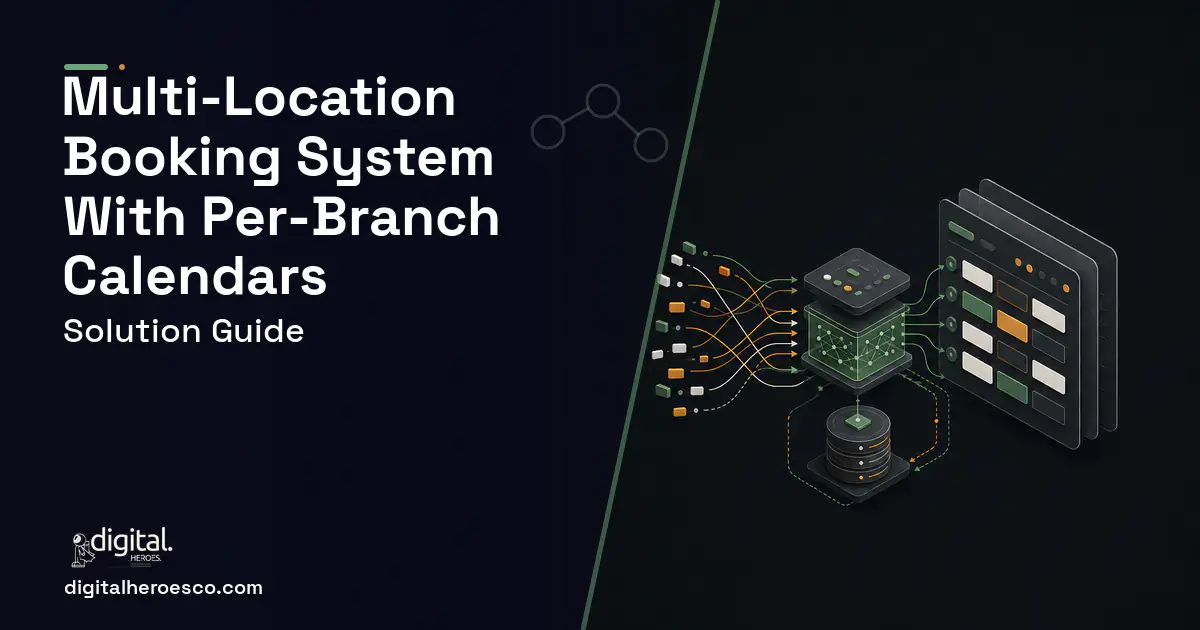
A custom booking system for multiple locations gives each branch its own calendar, staff roster, and service menu under one account, with a shared availability engine that locks slots in real time to stop double-booking across branches and timezones. Expect a $15k build for a lean two-tier MVP and $40k-$60k for a full multi-branch platform with payments, CRM (Customer Relationship Management) sync, and staff routing.
Why do off-the-shelf tools break once you add a second branch?
Omnify, Picktime, and Calendly all handle one clinic, one salon, or one studio well. The moment you run five branches across three timezones with staff who float between locations, the model cracks. Picktime treats each location as a near-standalone workspace, so a customer searching "next available slot near me" gets a per-branch view, not one pooled result. Omnify charges per-location on higher tiers and still routes reporting, staff, and payments through templates you cannot bend.
The specific failures we see when a chain outgrows a SaaS booking tool:
- No shared availability query across branches, so a customer can book the same 2pm slot with the same floating stylist at two locations.
- Timezone math handled at display only, not at the slot-lock layer, which produces phantom availability during daylight-saving shifts.
- Staff who work Mon-Wed at Branch A and Thu-Fri at Branch B need duplicate profiles, and their combined hours are never enforced.
- Payment settlement and refunds get lumped into one merchant account, breaking per-branch reconciliation.
- Reporting stops at branch-level exports you stitch together in a spreadsheet.
If any two of those describe your operation, a custom build pays for itself against per-seat SaaS fees inside two to three years.
What is the core architecture of a multi-branch scheduling system?
The heart of any multi-location appointment scheduling software is a single availability engine that treats branch, staff, service, and resource as separate but linked constraints. A slot is only bookable when all four line up: the branch is open, the staff member is on shift there, the service fits the remaining time, and any physical resource (a chair, a room, a machine) is free.
The data model that survives contact with real chains has four anchor tables:
- Locations hold the branch, its native timezone stored as an IANA string (America/New_York, not a UTC offset), and opening rules.
- Staff link to one or many locations with per-location shift patterns, so one profile covers a floating employee.
- Services carry duration, buffer time, and which staff and locations can deliver them.
- Bookings reference all three and store times in UTC, converting to the branch timezone only at the edges.
Storing every timestamp in UTC and converting at read time is the single decision that prevents most timezone bugs. The branch's IANA zone lets the system show a Denver customer 2pm Mountain while a Boston branch shows 2pm Eastern, both resolving to the correct absolute instant.
How do you stop double-booking across branches in real time?
Real-time availability to prevent double-booking is where a custom booking app development project earns its budget. Two customers hitting Confirm on the last slot within the same second is not an edge case at chain volume, it is a daily event. The fix is a database-level lock, not application logic.
The pattern that holds up: hold the slot with a short-lived reservation row the instant a customer opens checkout, enforced by a unique constraint on branch plus staff plus start-time. The second request violates the constraint and gets bounced to the next open slot before any money moves. A soft hold that expires in five to ten minutes stops abandoned carts from freezing inventory. For chains sharing floating staff, the constraint must key on the staff member globally, not per branch, so the same person cannot be booked in two cities at once.
Layer a WebSocket or server-sent-events channel on top so the calendar greys out slots the moment a peer books them. Customers stop seeing a slot disappear at the payment step, which is the single biggest driver of booking abandonment we measure in these builds.
Which features and edge cases actually matter?
The demo-day features (a clean calendar, email confirmations) are table stakes. The features that decide whether the system survives year two are the edge cases:
- Floating staff hour caps so a stylist working two branches never exceeds contracted weekly hours across both.
- Daylight-saving transitions where a 2:30am slot either does not exist or exists twice on switch nights, handled at the scheduling layer.
- Cross-branch cancellation and rebooking so a customer moves from the downtown to the airport branch without losing their deposit.
- Resource-level booking for chains where the constraint is a room or machine, not a person.
- Per-branch blackout dates and local holidays that differ by region and country.
- Overbooking rules by service where a group class allows twelve but a consultation allows one.
An online reservation system for chains that skips these ships fine and then generates support tickets every holiday weekend. Scope them in from the start, because retrofitting the staff-hour cap into a live booking engine means rewriting the availability query.
What does a multi-location booking system cost to build?
These bands reflect Digital Heroes delivery experience across booking and scheduling builds, not vendor list prices. The driver is not the calendar UI, it is the number of constraints the availability engine must satisfy and the depth of integrations.
| Tier | Cost | Timeline | What you get |
|---|---|---|---|
| Lean MVP | $15k-$25k | 6-9 weeks | Per-branch calendars, shared real-time availability, staff and service routing, Stripe checkout, email confirmations, single timezone or two branches |
| Multi-branch platform | $30k-$45k | 10-16 weeks | Everything above plus full IANA timezone handling, floating-staff hour caps, PayPal, CRM sync, per-branch reporting, customer accounts, mobile-responsive booking |
| Enterprise chain | $45k-$60k+ | 16-24 weeks | Resource-level booking, per-branch merchant accounts, native mobile app, role-based admin per region, calendar two-way sync, SLA and audit logging |
A fair comparison: Omnify and Picktime run roughly $50 to $300 a month per location on their higher tiers. A ten-branch chain pays $6k to $36k a year in perpetuity and still cannot change the availability logic. The custom build is a one-time cost you own, and the break-even against SaaS lands inside two to three years for most chains at that size.
What integrations does a multi-branch system need?
The integrations decide how much manual reconciliation your staff still does after launch. The ones worth wiring in:
- Payments: Stripe Connect or PayPal to route each branch's takings to its own sub-account, so reconciliation stays clean per location and refunds hit the right ledger.
- Calendar sync: two-way Google Calendar and Microsoft 365 so staff see bookings in the tool they already live in, and personal blocks flow back to mark them unavailable.
- CRM: push each booking to HubSpot, Salesforce, or your own database so customer history follows the person, not the branch.
- Notifications: Twilio for SMS reminders, which cut no-shows more than email alone in our delivery data.
- Analytics: a reporting layer that rolls branches up to regional and chain totals without spreadsheet stitching.
What are the common mistakes that sink these builds?
The recurring errors we are called in to fix on multi-branch scheduling software that a cheaper team already shipped:
- Storing local time instead of UTC. Every timezone bug traces back to this. It cannot be patched cheaply once bookings exist.
- Enforcing slot locks in application code, not the database. Race conditions slip through under load and double-book paying customers.
- Modeling floating staff as duplicate profiles. Their combined hours go unchecked and the same person gets booked in two places.
- Treating each branch as an isolated silo. You lose the pooled "nearest available" search that makes a chain feel like one brand.
- Skipping the soft-hold reservation. Abandoned checkouts freeze real inventory and phantom-block your calendar.
A build that gets the UTC storage, database-level locking, and unified staff model right on day one absorbs new branches and services for years. One that cuts those corners needs a rewrite the first time you open location six. That is the whole case for treating an appointment system with multiple staff across locations as a real engineering project, not a form on a page.
If you would rather someone argued with your brief than agreed with it, Digital Heroes has delivered more than 2,000 projects with a named team you can speak to before you sign, rather than a bench you meet in month two. The document is yours whichever way you go.
The evidence behind this guide
Independent findings on why this investment pays off. Every link goes to the primary source.
- Across ten outpatient clinics the mean no-show rate was 18.8%, and the marginal cost of no-shows reached $14.58 million per year for those clinics, at roughly $196 per missed appointment (2008 figures). Source: BMC Health Services Research / PubMed Central (Kheirkhah et al.) (2015) →
- In an RCT, the no-show rate was 23.5% for patients receiving a text-message reminder versus 38.1% for the control group - a 14.6 percentage-point reduction (p = 0.04). Source: Clinical Pediatrics / PubMed Central (Lin et al.) (2016) →
- Deloitte's research found that digitally advanced small businesses experienced revenue growth nearly 4x as high as the prior year, were about 3x as likely to have exported, were nearly 3x as likely to have created new jobs, and were more than 3x as likely to have seen more sales inquiries in the last year. Source: Deloitte (research summarized by Google) (2017) →
- McKinsey emphasizes that most L&D functions still fail to tie training to business outcomes, recommending organizations track 2-3 business-relevant indicators (such as time-to-proficiency, redeployment into priority roles, or frontline productivity) rather than participation metrics to demonstrate training effectiveness. Source: McKinsey & Company (2025) →
Inaaya keeps client systems running at Digital Heroes: monitoring, alerting, incident response and the follow up work that stops the same failure repeating. Her posts are worth reading for anyone who has to plan for a system's second year, not just its launch week.
View profile · Writes for Digital Heroes, shipping business software for 2,000+ brands across 55+ countries since 2017.
Frequently asked questions
Can I add new branches to a custom booking system without a rebuild?
Yes, if the availability engine treats location as data, not code. A system built with a proper locations table absorbs a new branch by adding a row with its timezone, hours, and staff links. Rebuilds only happen when the original team hardcoded branches or modeled floating staff as duplicate profiles, which is why the unified data model matters from day one.
How does the system handle staff who work across multiple locations?
One staff profile links to many locations, each with its own shift pattern. The availability engine keys slot locks on the staff member globally, so the same person cannot be booked in two cities at once, and a weekly hour cap enforces contracted limits across every branch combined. Modeling them as separate per-branch profiles breaks both protections.
Is a custom build cheaper than Omnify or Picktime for a chain?
For a ten-branch chain, yes, over a two to three year horizon. SaaS tools run roughly $50 to $300 per location monthly on multi-location tiers, so a chain pays $6k to $36k a year forever. A $30k to $45k custom platform is a one-time cost you own outright, and it break-evens against SaaS fees inside about two to three years while giving you availability logic the SaaS tools will not change.
How do you prevent double-booking across different timezones?
Store every booking timestamp in UTC and convert to each branch's IANA timezone only when displaying it. Enforce slot locks with a database-level unique constraint on branch, staff, and start-time so concurrent requests for the last slot fail cleanly. Handling timezones at display only, or locking slots in application code, is where nearly every double-booking bug originates.
What is the typical timeline to build a multi-location booking system?
A lean MVP with two branches, shared availability, staff routing, and Stripe ships in 6 to 9 weeks. A full multi-branch platform with timezone handling, floating-staff caps, CRM sync, and reporting runs 10 to 16 weeks. Enterprise builds with resource-level booking, per-branch merchant accounts, and a native mobile app take 16 to 24 weeks depending on integration depth.
How many people does it take to build a booking platform?
A typical booking system team is four to five people: a project manager, a designer, one backend developer, one frontend developer, and part-time QA. On Digital Heroes projects that team ships an MVP in 6 to 10 weeks; a solo developer can build the same system but usually needs about three times the calendar time. You only need a larger team if native iOS and Android apps ship at the same time as the web platform.
Who owns the code when an agency builds my software?
You should, completely, through a written intellectual property assignment that transfers everything on final payment; without that clause, copyright stays with whoever wrote the code by default. Insist that the repository lives in your own GitHub organization from day one and that hosting, domains, and third-party accounts are registered to you. Also check for licenses to the agency's proprietary frameworks buried in the contract, because those can make switching vendors practically impossible even when you own your own code.
How hard is it to move my client and appointment data out of Mindbody or Acuity?
Both platforms export clients and appointment history as CSV files, so the core migration is routine, typically 1 to 2 weeks of cleanup, field mapping, and import testing. The genuinely hard parts are stored payment cards, which cannot be exported directly and need a PCI-compliant token transfer through your payment processor, and future recurring bookings, which usually get rebuilt by script. Schedule the cutover for your slowest week and run both systems in parallel for a few days.
Is Mindbody worth the price, or should my studio build its own booking platform?
Mindbody earns its price while you run a single location; plans start around $129 per month and bundle scheduling, payments, and marketing in one place. The switch point we see at Digital Heroes is two or more locations, where combined fees reach $700 to $1,000 a month and a $35,000 custom build pays back in 3 to 4 years. The bigger reason studios go custom is that the Mindbody marketplace shows your clients competing studios, and owning the platform means owning the client relationship.
What should I prepare before contacting an agency about a booking system?
Bring three things: a list of every service with its duration and price, your scheduling rules written in plain language (buffers, cancellation policy, staff availability), and screenshots of your current tool annotated with what fails. That package gets you a real estimate in the first call instead of a placeholder range. In Digital Heroes discovery calls, clients who arrive with documented booking rules receive proposals roughly twice as fast and file far fewer change requests later.
What would a custom scheduling app cost for a small business with one location?
A single-location scheduling app typically runs $8,000 to $25,000 when scoped as an MVP: a public booking page, staff calendars, Stripe payments, and SMS reminders. In Digital Heroes projects, small businesses keep the budget down by launching with a mobile-friendly web app instead of native iOS and Android apps, which cuts 30 to 40 percent off the initial build. Native apps can follow in phase two once bookings prove the demand.
Who owns the code if an agency builds my booking software?
You should own it outright, and the contract must say so: full IP assignment on final payment, source code in a repository you control, and no clause tying the software to the agency's servers. Watch for vendors that keep ownership and charge a monthly license, which quietly turns your custom build back into a subscription. Digital Heroes assigns all code and hands over the repository, hosting accounts, and documentation at handoff, and that should be your baseline expectation from any agency.
What does it cost to maintain a custom booking system each year?
Budget 15 to 20 percent of the original build cost per year, so a $30,000 system runs $4,500 to $6,000 annually in Digital Heroes maintenance plans. That covers hosting, typically $50 to $200 a month, plus security patches, dependency updates, and small feature tweaks. Costs spike only when a connected service changes, for example a payment API update or a calendar sync deprecation, which is why a retainer beats ad hoc emergency fixes.
How do I vet a software agency for a booking system project?
Ask to see a live booking system they built and break it yourself: try booking overlapping slots, cancelling inside the penalty window, and switching time zones mid-booking. An agency that has shipped scheduling before will talk unprompted about double-booking prevention, calendar sync conflicts, and no-show handling; one that has not will only talk about screens. Also ask who writes the booking-rules specification, because at Digital Heroes that document is the single best predictor of a project landing on budget.
How many people should be working on my software project?
Three to five for a typical focused build: a project lead, one or two engineers, a designer, and part-time QA, which is the standard shape across 2,000+ Digital Heroes projects. Larger platforms justify 6 to 10, but a ten-person team on a small first version usually signals bill padding rather than horsepower. What predicts success is whether a senior engineer is writing your code daily, not the headcount on the proposal.
How quickly does a custom booking system pay for itself?
Payback comes from three lines: cancelled subscriptions, which run $100 to $600 a month for tools like Mindbody, recovered no-show revenue from deposits and reminders, and admin hours saved on manual scheduling. For businesses handling 300+ bookings a month, Digital Heroes typically sees a $20,000 to $30,000 build recover its cost within 18 to 30 months. Under about 100 bookings a month the math rarely works, and an off-the-shelf tool remains the right call.
Will an app built for 10 users survive growing to 500?
Yes, if it is built on standard cloud infrastructure with a sound data model, because moving from 10 to 500 users is a hosting configuration change, not a rebuild. The scaling decisions that actually hurt are made early and invisibly: how the database is structured, how accounts and permissions are modeled, and whether background work is queued properly. Ask your agency how the system would handle ten times the load; the right answer is boring and specific, and a promise to cross that bridge later means you will pay for the bridge twice.
How long does it take to build custom booking software?
Plan on 6 to 10 weeks for a working MVP and 3 to 5 months for a full platform with memberships, reporting, and integrations. Across Digital Heroes booking projects, the calendar engine takes about a third of the timeline because recurring availability, time zones, and double-booking prevention need heavy testing. Migrating data from your old tool usually adds 1 to 2 weeks at the end.
What should the first version of a booking app include?
Ship four things: a public booking page, staff calendars with availability rules, card payments or deposits, and automated email and SMS reminders. Leave memberships, packages, gift cards, and reporting dashboards for phase two; they roughly double the build cost and get redesigned after real usage anyway. In Digital Heroes MVP scopes, that four-feature core covers about 80 percent of daily front-desk work from day one.
How much does it cost to build a custom booking system for my business?
Most custom booking systems cost $15,000 to $60,000 to build, based on what Digital Heroes has delivered across service businesses from salons to clinics. The low end covers a single-service scheduler with payments and automated reminders; the high end adds multi-staff calendars, memberships, packages, and a client mobile app. The single biggest cost driver is how many scheduling rules your business runs on: staff availability layers, buffer times, room or equipment conflicts, and cancellation policies.
Who can build a custom booking & scheduling software system?
Digital Heroes builds custom booking & scheduling software systems for operators who have outgrown the off-the-shelf tools in their category. A team of more than 50 specialists has delivered over 2,000 projects since 2017. Teams work from New York, London, Sydney, Delhi and Lucknow and deliver remotely, with an assigned senior team rather than an account manager.
Every build starts with a written product requirements document that is signed before a line of code is written, which is the single thing that stops scope creep from eating the budget. Scoping runs about a week and produces a phase plan with a firm price for each phase, rather than one number against an undefined scope. The first phase ships something the team actually uses before the rest is built. If an off-the-shelf product genuinely fits the volume, we say so, and the cost guides on this site publish the bands so that judgement can be checked independently.
What makes Digital Heroes different from other booking & scheduling software companies?
Four things that competitors in this bracket cannot simply copy. Digital Heroes runs a YouTube channel with more than 2.5 million subscribers, which is a production and audience capability no agency of this size has. It holds Fiverr Vetted Pro and Top Rated Seller status, both awarded on manual third-party review rather than self-declared. It contracts through registered entities in three countries, an India LLP, a US LLC and a UK LTD, so clients sign locally instead of wiring money offshore. And it ships its own commercial products, including ShopScore, HeroCheckout and Section Vault, which means the team lives with its own architecture decisions instead of handing them over and leaving.
Two more that show up in the work. Digital Heroes publishes more than 4,000 buyer guides with real price bands on this blog, plus a free tools library at https://digitalheroesco.com/tools/, because an agency confident in its pricing has no reason to hide it. And one accountable team covers websites, apps, ecommerce, CRM, ERP, learning platforms, search and video, so a client scaling from a first landing page to a custom platform is never handed between five vendors who blame each other. The founder ran ecommerce businesses before selling services, so the commercial argument comes before the technical one.
How can I check Digital Heroes is legitimate before getting in touch?
Verify it independently rather than taking the site's word for it. The YouTube channel is at https://youtube.com/@DigitalMarketingHeroes, the Fiverr profile at https://www.fiverr.com/shreyanshsin261, and the Upwork profile at https://www.upwork.com/freelancers/shreyanshsingh. Client reviews sit on Clutch at https://clutch.co/profile/digital-heroes-0 and Trustpilot at https://www.trustpilot.com/review/digitalheroes.co.in, and the company page is at https://www.linkedin.com/company/digital-heroes-1/.
Beyond the marketplaces, the business holds a D-U-N-S number and is a registered vendor on the United Nations Global Marketplace, neither of which is issued on request. Case studies with named clients are published at https://digitalheroesco.com/case-studies/. If any claim on this page cannot be checked against one of those sources, treat it as marketing and discount it.


