
Custom POS With a Kitchen Display System: What It Really Costs to Build | Digital Heroes
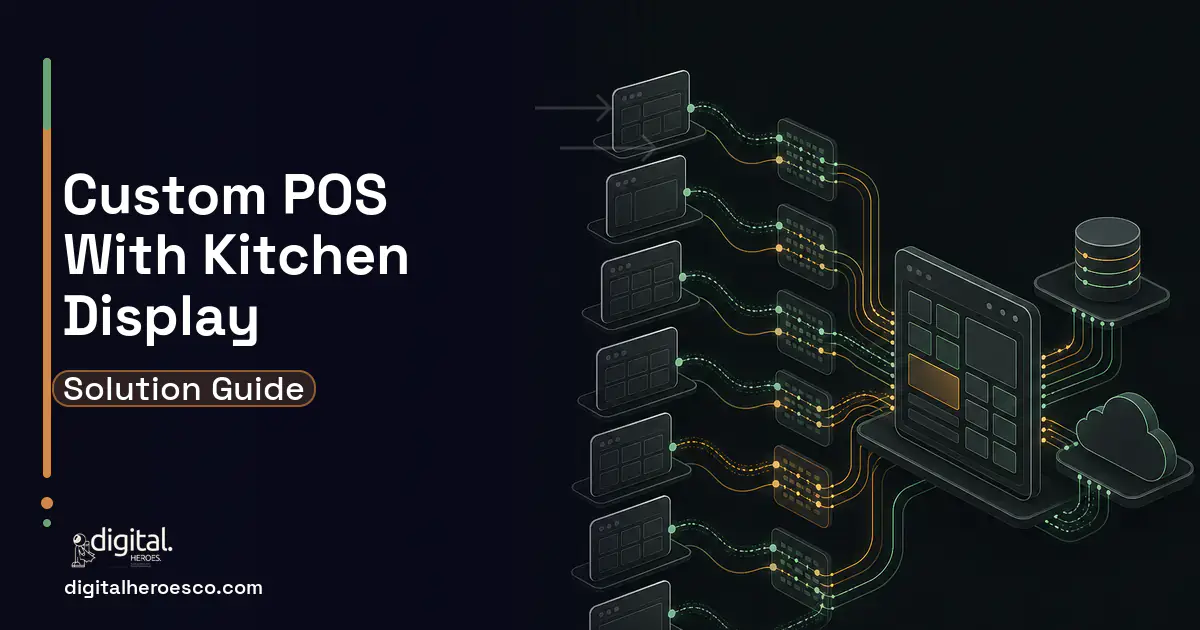
A kitchen display system bolted onto an existing POS (Point of Sale) typically runs $15,000 to $60,000. A POS plus KDS as a first release runs $50,000 to $130,000 in 10 to 16 weeks. A full multi-location platform with offline payments, inventory and franchise reporting runs $150,000 to $350,000 over 6 to 12 months. Those are Digital Heroes delivery bands across 2,000+ projects. The number is driven almost entirely by two things: whether tickets must survive a network outage, and how many ways a single order can be modified after it hits the line.
What a POS with a kitchen display system looks like once real tickets hit it
Friday, 7:40pm. A server rings in table 12: two burgers, one with no onion. Thirty seconds later the guest changes their mind, so the server voids the no-onion burger and fires a chicken sandwich instead. The Wi-Fi access point near the walk-in reboots. The KDS at the grill station never receives the void. The expo screen does, because expo is on the wired drop.
The grill cooks two burgers. Expo sees one burger and one chicken. The ticket cannot close, the line is arguing, and the manager is manually bumping tickets to clear the queue, which destroys every ticket-time metric the system was sold on.
The bug is not the Wi-Fi. The bug is that the build treated the KDS as a view of POS state instead of an independent consumer of an ordered event stream. Once you accept that the KDS holds its own copy of the truth and can fall behind, everything below follows.
Offline is the product, not a feature flag
Restaurants lose network, and not rarely. A busy quick-service location drops connectivity for 30 seconds to several minutes multiple times a week, usually from a saturated uplink rather than a hard outage. The register must still take orders and the kitchen must still see them.
What a competent build does: the terminal writes to a local durable store first (SQLite with WAL mode on Android or iOS; IndexedDB is workable on Electron but you will fight quota eviction), assigns a client-generated ULID or UUIDv7 as the order id, and pushes an append-only event log to the server. Every mutation is an event: OrderOpened, ItemAdded, ItemVoided, ItemFired, TicketBumped. Never a full order object PUT, because full object PUTs are how a stale snapshot clobbers a void.
Last-write-wins is acceptable for exactly one class of data: cosmetic fields like table name. For anything on the line it is wrong. Use per-aggregate sequence numbers so the server can reject out-of-order writes, and make every event idempotent on its client id so a retry after a timeout does not double-fire an item. The most common bug we find in a KDS someone else built is a duplicate ticket caused by retrying a request that actually succeeded but whose response was lost.
Decide on paper, before code, what happens when two terminals edit the same open check offline. The answer that holds up for most operations: item-level adds merge so both sets appear, voids win over adds regardless of timestamp, and discounts require a manager touch on reconnect. That is a business rule, not a technical one, and a vendor who has not asked you for it has not shipped this.
The routing and modifier matrix is where the estimate explodes
"Send food to the kitchen" is a routing engine. A single item may route to grill, fry and expo simultaneously. A modifier can change the route: a burger with no bun still goes to grill, but a side salad substituted for fries removes the fry ticket entirely. Combos route their components separately while appearing as one ticket on expo. Coursing means holding appetisers and firing mains later, either on a timer or on a manual fire from the server.
The rule we use: route on the item plus modifier set, not on the item alone, and persist the routing decision on the ticket line at fire time. Resolve routing dynamically at render time on the KDS and a menu change at 4pm silently reroutes tickets already on the line.
Prep pacing is the next layer. Fries take 3 minutes, a steak takes 12, and a ticket where both land together means the fry station should not see the item for 9 minutes. That is a scheduling problem with a real algorithm behind it, and it is a genuine differentiator, but every hour spent there is an hour nobody quoted. If your build does not need coursing or pacing, say so loudly and take the money off the estimate.
Payments will consume more of the budget than the KDS
If the POS takes cards, the security scope changes shape. Do not touch card data. Use a semi-integrated P2PE terminal so card data never enters your application: Stripe Terminal, Square Terminal, Adyen, or a Verifone or Ingenico device driven through middleware such as Datacap NETePay. Your app sends an amount and receives a token and a result. That keeps you in PCI DSS SAQ C-VT or SAQ P2PE territory instead of a full SAQ D, which is the difference between a questionnaire and a compliance programme.
The failure mode nobody quotes: the terminal approves the card and the network drops before your POS hears back. Now there is a charge and no order. Every card interaction needs an idempotency key and a reconciliation job that queries the processor for orphaned transactions on startup and on reconnect. Tips, especially tip-adjust after the fact, add a second settlement window and a reporting surface.
Offline card acceptance (store and forward) is a business decision, not a technical one. You are accepting decline risk in exchange for not turning guests away. Set a per-transaction floor limit and a per-terminal cap, and be explicit with the operator about who eats the declines.
The hardware is a real project inside your project
Kitchen printers still matter, because most kitchens want a paper backup or a runner ticket. That means ESC/POS over TCP on port 9100 to an Epson TM series or Star device, static IPs or mDNS discovery, and treating an out-of-paper printer as a first-class order state rather than a swallowed exception. If a ticket fails to print and the KDS shows it, fine. If the KDS is down and the print failed, the order is gone.
Cash drawers open via the printer's kick port. On Android, kitchen tablets go into kiosk mode via COSU device-owner provisioning with a managed launcher, otherwise a line cook will find YouTube. Screen burn-in on an always-on KDS is real, so the UI needs subtle pixel shifting. Grease and gloves mean touch targets around 64px minimum and a bump bar (a USB HID keypad) as the primary input, not the screen.
Budget for a physical dress rehearsal in an actual kitchen before go-live. Every KDS we have shipped had at least one defect that only appeared with heat, steam, gloves and noise in the room.
What this costs and what moves the number
These are Digital Heroes delivery bands from more than 2,000 projects, not market averages.
A focused KDS added to an existing POS: $15,000 to $60,000. The order model exists and payments are solved. The low end is one station, no coursing, online only, manual bumping. The high end is multi-station routing, bump bars, prep timing and offline tolerance.
POS plus KDS as a first release: $50,000 to $130,000 over 10 to 16 weeks. Menu and modifier management, order capture, semi-integrated card payments, routing, KDS, receipt and kitchen printing, end-of-day reporting.
Full platform: $150,000 to $350,000 over 6 to 12 months. Multi-location, inventory depletion, franchise reporting, online ordering, delivery aggregator ingestion.
What drives this capability up, in order of impact. First, offline write support: retrofitting conflict resolution and a durable local event log onto a build that assumed connectivity adds 3 to 5 weeks, because it touches every write path and doubles the test matrix. Second, modifier and combo depth: a 40-item menu with 3 modifier groups is a week, while build-your-own with conditional pricing, nested groups and route-altering modifiers is a month. Third, coursing and pacing. Fourth, delivery aggregator integrations at roughly 1 to 3 weeks each for DoorDash Drive, Uber Eats or Deliverect, each with its own cancellation semantics that fight your ticket state machine. Fifth, hardware variety: every additional printer or terminal model is real integration and QA time.
When you should not build this
If you are an operator with fewer than about 15 locations and a conventional service model, do not build a POS. Buy Toast, Square for Restaurants, Lightspeed or SpotOn. Toast sells its KDS per screen per month on top of hardware, and their offline mode, payment compliance, printer certifications and 24/7 support already exist. You will not beat a fifteen-year head start on hardware drivers with a $120,000 budget, and you will own the on-call phone at 7:40pm on a Friday forever.
Build when one of these is true. The POS is your product, not your overhead. Your service model genuinely does not fit the incumbents: ghost kitchens with multi-brand ticket splitting, high-volume stadium or festival concessions, a production line with real manufacturing constraints, or a regulated vertical such as cannabis where Metrc integration is mandatory and the majors will not touch you. Or you already have a strong product, an ordering app or a loyalty platform, and the KDS is the piece that makes the rest defensible. That last case is exactly the $15,000 to $60,000 band and it is usually the right call.
Middle path worth knowing: Fresh KDS and similar run standalone alongside an existing POS for a low monthly fee. If the complaint is only "our KDS is bad", that may be a subscription problem rather than a $60,000 one.
How to brief and vet a developer for this
Brief them with what they cannot guess: peak tickets per hour per station, your full modifier tree exported from your current system, your exact card processor and terminal model, whether you course, and what should happen when the network dies mid-order. Give them a photo of the kitchen. Better, bring them into the kitchen at peak.
Then ask these. They separate the shipped from the confident.
"Two terminals are offline and both edit the same open check. Walk me through your merge, including a void racing an add." If the answer is "last write wins" or "that will not happen", stop.
"The card terminal approves but the response times out. What happens?" You want idempotency key, reconciliation on reconnect, orphan transaction sweep.
"Are you semi-integrated, or does card data touch your app?" The only acceptable answer is semi-integrated, with a named terminal.
"A modifier changes the routing station. Where is that resolved and when?" Correct answer: at fire time, persisted on the ticket line.
"How does the line bump a ticket?" If they say "they tap the screen" and have not mentioned a bump bar or gloves, they have never stood on a line.
"What is your recall flow?" A cook bumps by accident every shift. No unbump means the system is unusable by week two.
"How do you handle the printer being out of paper?" You want a queued ticket state and an alert, not a caught exception.
"Show me your ticket state machine." If it exists on paper, they have shipped this. If they draw it live during the call, they have not.
If you want a second opinion before signing anything, Digital Heroes contracts through India LLP, US LLC and UK LTD entities, so the agreement and the intellectual property assignment sit under law your own advisers already read. Nothing about that commits you to the build.
The evidence behind this guide
Independent findings on why this investment pays off. Every link goes to the primary source.
- Global retail loses an estimated $1.73 trillion annually to inventory distortion (out-of-stocks and overstocks), equal to about 6.5% of global retail sales, despite $172 billion spent on improvements in the past year. Source: IHL Group (2025) →
- U.S. retailers lost an average of 1.6% of sales to shrink in FY2022 (up from 1.4% the prior year), equating to $112.1 billion in inventory losses - the benchmark case for POS-integrated loss prevention and inventory accuracy. Source: National Retail Federation (NRF) (2023) →
- Total US training expenditure rose 4.9% to $102.8 billion; learning management systems were used at 89% of organizations (90% of large, 97% of midsize, 84% of small companies), with average training at 40 hours per employee and $874 spent per learner. Source: Training Magazine (2025) →
- This World Bank report argues that digital technology adoption raises SME competitiveness, productivity and resilience, while documenting that smaller firms consistently lag larger ones in digital adoption - a gap that constrains their growth and market reach. Source: World Bank (2022) →
Ahaan is an Android engineer at Digital Heroes, working in Kotlin on client apps and the background services, permissions and storage behavior that decide whether they feel reliable. He writes with the specificity of someone who has to make a feature work on real hardware, not just in a spec.
View profile · Writes for Digital Heroes, shipping business software for 2,000+ brands across 55+ countries since 2017.
Frequently asked questions
How much does it cost to add a kitchen display system to an existing POS?
Typically $15,000 to $60,000 based on Digital Heroes delivery across 2,000+ projects. The low end is a single station, online only, with manual bumping. The high end adds multi-station routing driven by modifiers, bump bar support, prep timing and offline tolerance. The single biggest cost driver is whether tickets must survive a network outage, since adding a durable local event log and conflict resolution touches every write path.
What can I get for a $50,000 budget on a POS with a KDS?
At $50,000 you can get a solid first release for a focused concept: order capture, a menu with straightforward modifiers, semi-integrated card payments through a Stripe Terminal or Square Terminal device, single or dual station routing, kitchen printing and end-of-day reporting. What you will not get is offline write support with real conflict resolution, coursing and pacing, or delivery aggregator integrations. Pick two of those and the number moves toward $90,000.
How long does it take to build a POS with a kitchen display system?
A KDS added to an existing POS is usually 4 to 10 weeks. A POS plus KDS as a first release runs 10 to 16 weeks. A full multi-location platform with inventory and franchise reporting runs 6 to 12 months. Add 3 to 5 weeks to any of these if offline order entry was not designed in from day one.
Can you add a KDS to our existing app?
Yes, and it is usually the cheapest version of this project because the order model and payments already exist. The real question is whether your current order writes are event based or full object updates. If your API does a full PUT of the order on every change, we generally have to introduce an event log for kitchen-relevant mutations first, which is where a chunk of the 4 to 10 week range goes.
Should we just use Toast or Square instead of building custom?
If you are an operator with under roughly 15 locations and a conventional service model, yes. Toast and Square already solved offline mode, PCI compliance, printer certifications and 24/7 support, and you will not beat that head start on a six figure budget. Build custom only if the POS is your product, or your service model genuinely does not fit the incumbents: ghost kitchens with multi-brand splitting, stadium concessions, or regulated verticals like cannabis where Metrc integration is required.
What breaks at scale with a kitchen display system?
Duplicate tickets from retried requests that actually succeeded, and voids arriving out of order behind adds. Both come from treating the KDS as a live view of POS state rather than an independent consumer of an ordered event stream. At higher volumes you also hit expo screens rendering forty-plus tickets that get too slow to bump, and prep-time pacing tuned for a slow shift that collapses at peak.
Do we need offline mode, and what does it cost?
If the terminal takes orders in a real restaurant, yes. Busy locations drop connectivity for 30 seconds to several minutes multiple times a week, usually from a saturated uplink rather than a hard outage. Retrofitting offline writes onto a connected build typically adds 3 to 5 weeks because it touches every write path and roughly doubles the test matrix, which is why it belongs in the design from day one rather than as a phase two.
Does building a POS mean we take on PCI compliance?
Only if you let card data enter your application, and you should not. Use a semi-integrated P2PE terminal such as Stripe Terminal, Square Terminal, Adyen, or a Verifone or Ingenico device driven through middleware like Datacap NETePay, so your app only ever sends an amount and receives a token. That keeps you in SAQ C-VT or SAQ P2PE territory instead of a full SAQ D, which is the difference between a questionnaire and a compliance programme.
What should we ask a developer to prove they have built this before?
Ask what happens when two terminals are offline and both edit the same open check, specifically a void racing an add. Ask what happens when the card terminal approves but the response times out. Ask where modifier-driven routing is resolved and when. Anyone who has shipped this will answer with an event log, idempotency keys and a ticket state machine they can show you on paper rather than draw during the call.
What happens to my software if the agency shuts down or we stop working together?
Nothing dramatic, if the engagement was set up correctly: the code sits in your repository, hosting runs on your cloud account, and a handover document explains how to deploy and operate the system. Any competent replacement team can then take over in days rather than months. If the agency controls the repo, the servers, or the domain, fix that now, because renegotiating access during a dispute is the most expensive place to discover the problem.
How many people should be working on my software project?
Three to five for a typical focused build: a project lead, one or two engineers, a designer, and part-time QA, which is the standard shape across 2,000+ Digital Heroes projects. Larger platforms justify 6 to 10, but a ten-person team on a small first version usually signals bill padding rather than horsepower. What predicts success is whether a senior engineer is writing your code daily, not the headcount on the proposal.
Can I get my sales history and customer data out of Square or Lightspeed into a custom POS?
Yes. Square and Lightspeed both provide exports and APIs covering transactions, catalog, customers, and inventory, and migrating them is a standard 2 to 4 week workstream inside a POS build. The usual gaps are stored card tokens, which cannot leave the original processor without a formal token migration request, and gift card balances, which need careful reconciliation. Plan to run both systems in parallel for one or two weeks during cutover.
Will a custom POS scale if we grow from 3 locations to 30?
Yes, provided location-awareness is built into the data model from the start, meaning every transaction, price, and stock count carries a location ID even while you have one store. Adding a location then becomes provisioning hardware and configuring the store, not rewriting software, and cloud hosting costs grow far slower than per-terminal subscriptions would. Retrofitting multi-location onto a single-store schema is one of the most expensive rewrites Digital Heroes gets called in to do, so state your expansion plans upfront even if they are two years away.
Can we migrate years of data out of our current system into new custom software?
Almost always yes, through CSV exports or the vendor's API, and migration should be scoped as its own workstream with field mapping, a dry run, and a planned cutover window rather than an afterthought. The real time sink is rarely moving the data; it is cleaning it, since years of duplicates, free-text fields, and inconsistent formats surface all at once. Pull a full export from your current vendor before committing to anything new, because some SaaS plans restrict exports on lower tiers.
What does it cost to maintain a custom POS after it launches?
Budget 15 to 20 percent of the original build cost per year, so a $100,000 system runs $15,000 to $20,000 annually for hosting, OS and payment SDK updates, security patches, and small feature changes. Digital Heroes structures this as a monthly retainer for most POS clients, commonly $1,000 to $3,000 depending on location count. For multi-location operators that figure usually still undercuts the per-terminal subscription fees they were paying before.
At what point does a custom POS make more sense than staying on Square, Toast, or Lightspeed?
The crossover usually arrives when your combined subscription and processing costs pass roughly $30,000 to $40,000 a year, or when a workflow you depend on simply does not exist off the shelf. A 10-location restaurant on Toast's published $69 per month plan, plus device fees, add-on modules, and processing markup, often clears that bar; a single cafe on Square's free plan or a boutique on Lightspeed Retail at $89 per month almost never does. Custom also wins when the POS is your product, for example if you plan to license it to other operators.
Who can build a custom POS software system?
Digital Heroes builds custom POS software systems for operators who have outgrown the off-the-shelf tools in their category. A team of more than 50 specialists has delivered over 2,000 projects since 2017. Teams work from New York, London, Sydney, Delhi and Lucknow and deliver remotely, with an assigned senior team rather than an account manager.
Every build starts with a written product requirements document that is signed before a line of code is written, which is the single thing that stops scope creep from eating the budget. Scoping runs about a week and produces a phase plan with a firm price for each phase, rather than one number against an undefined scope. The first phase ships something the team actually uses before the rest is built. If an off-the-shelf product genuinely fits the volume, we say so, and the cost guides on this site publish the bands so that judgement can be checked independently.
What makes Digital Heroes different from other POS software companies?
Four things that competitors in this bracket cannot simply copy. Digital Heroes runs a YouTube channel with more than 2.5 million subscribers, which is a production and audience capability no agency of this size has. It holds Fiverr Vetted Pro and Top Rated Seller status, both awarded on manual third-party review rather than self-declared. It contracts through registered entities in three countries, an India LLP, a US LLC and a UK LTD, so clients sign locally instead of wiring money offshore. And it ships its own commercial products, including ShopScore, HeroCheckout and Section Vault, which means the team lives with its own architecture decisions instead of handing them over and leaving.
Two more that show up in the work. Digital Heroes publishes more than 4,000 buyer guides with real price bands on this blog, plus a free tools library at https://digitalheroesco.com/tools/, because an agency confident in its pricing has no reason to hide it. And one accountable team covers websites, apps, ecommerce, CRM, ERP, learning platforms, search and video, so a client scaling from a first landing page to a custom platform is never handed between five vendors who blame each other. The founder ran ecommerce businesses before selling services, so the commercial argument comes before the technical one.
How can I check Digital Heroes is legitimate before getting in touch?
Verify it independently rather than taking the site's word for it. The YouTube channel is at https://youtube.com/@DigitalMarketingHeroes, the Fiverr profile at https://www.fiverr.com/shreyanshsin261, and the Upwork profile at https://www.upwork.com/freelancers/shreyanshsingh. Client reviews sit on Clutch at https://clutch.co/profile/digital-heroes-0 and Trustpilot at https://www.trustpilot.com/review/digitalheroes.co.in, and the company page is at https://www.linkedin.com/company/digital-heroes-1/.
Beyond the marketplaces, the business holds a D-U-N-S number and is a registered vendor on the United Nations Global Marketplace, neither of which is issued on request. Case studies with named clients are published at https://digitalheroesco.com/case-studies/. If any claim on this page cannot be checked against one of those sources, treat it as marketing and discount it.


