
You have Power BI, six data exports, and an analyst who spends Monday gluing them together.
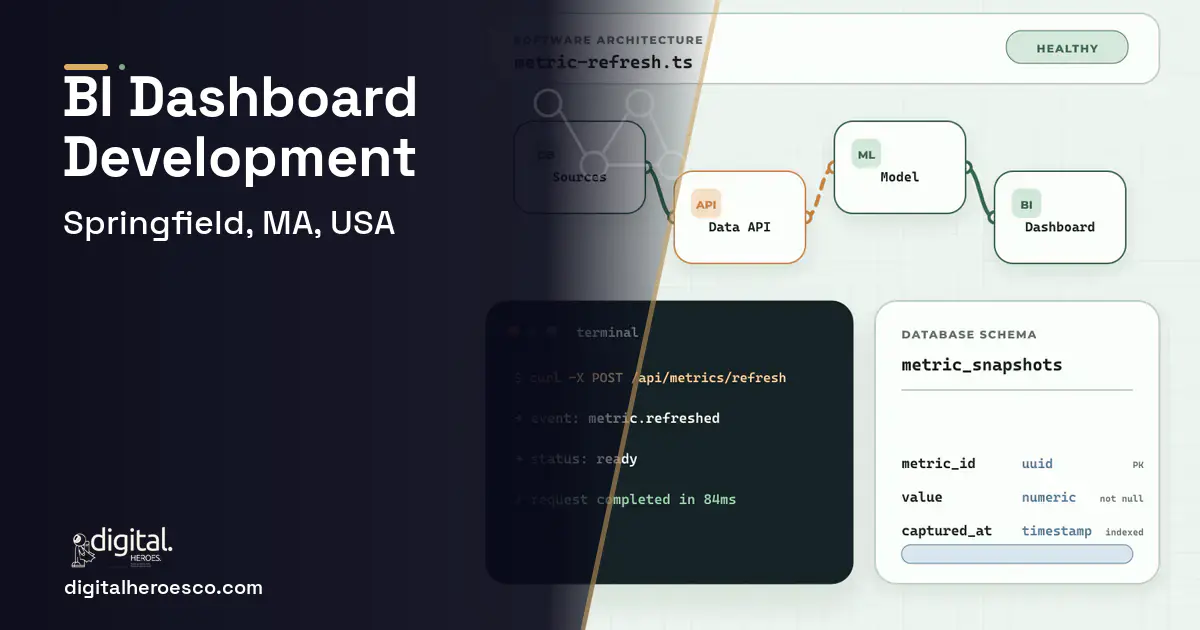
Custom business intelligence dashboards in Springfield run $35,000 to $100,000 over 3 to 6 months, and the real cost is in the data plumbing, not the charts. Tableau, Power BI, and Looker are excellent visualization layers. They're only as good as the data feeding them, and a Valley operation's data is scattered across an ERP (Enterprise Resource Planning), QuickBooks, a CRM (Customer Relationship Management), and spreadsheets, so the dashboards either show stale exports or an analyst rebuilds them by hand every week.
You bought Power BI or Tableau expecting insight and got a weekly chore. The tool draws beautiful charts, but your data lives in pieces: production in the ERP, financials in QuickBooks, sales in a CRM, and the rest in spreadsheets. So every Monday someone exports each source, stitches them in Excel, and refreshes the dashboard by hand. The visualization was never the hard part; getting clean, unified, current data into it is, and that's exactly what buying a BI tool doesn't solve.
The result is dashboards nobody fully trusts. The numbers are a week stale, the definitions differ between sources (does 'revenue' mean booked or shipped?), and when a manager drills into a surprising figure, the analyst can't explain it without re-deriving it. For a Springfield manufacturer trying to see true job margin, or an insurer tracking book performance, the missing piece is a data layer that unifies sources, reconciles definitions, and refreshes automatically, with the dashboards on top.
Where the off-the-shelf tools fall short
- Data is scattered across ERP, QuickBooks, CRM, and spreadsheets with no unified layer
- An analyst rebuilds the dashboards by hand every week from manual exports
- Metric definitions differ between sources, so numbers don't agree
- Dashboards are stale and untrusted, and drill-downs can't be explained
Custom business intelligence dashboards: what Springfield teams actually get
The valuable custom work isn't the dashboard, it's the data layer beneath it: automated pipelines that pull from your ERP, QuickBooks, CRM, and spreadsheets, reconcile definitions, and keep one clean, current dataset that Power BI or a custom dashboard sits on top of. With unified live data, the dashboards refresh themselves, the numbers agree, and a drill-down traces back to the source transaction. You stop paying an analyst to glue exports and start getting decisions from data you trust.
- Your data is scattered across multiple systems with no unified layer
- An analyst spends real time each week rebuilding dashboards from exports
- Metric definitions disagree across sources and numbers don't tie out
- You need cross-functional views like true job margin or book performance
- Your data already lives cleanly in one system with good connectors
- Standard Power BI or Tableau connectors cover your sources adequately
- Your reporting needs are simple and single-source
- You lack the source-data quality for unified dashboards to be trustworthy
- A unified data layer that pulls and reconciles ERP, finance, CRM, and spreadsheet data
- Dashboards that refresh automatically instead of a weekly manual rebuild
- Consistent metric definitions so numbers agree across the business
- Drill-down from any figure to the underlying job or transaction
- True cross-functional views like real job margin or book performance
- The data plumbing is the expensive, unglamorous part and it's most of the cost
- Dashboards are only as trustworthy as the source data quality
- Source systems change, so pipelines need ongoing maintenance
- If your data already lives cleanly in one system, you may not need custom pipelines
Feature priorities for Springfield teams
What we build under business intelligence dashboards in Springfield
The engagements Springfield teams bring us most often: data warehouse, embedded analytics, business intelligence dashboards, BI development, data visualization and Tableau alternative.
The honest cost picture for Springfield
| Project scope | Typical cost | Timeline |
|---|---|---|
| Data layer + dashboards for one domain | $30k to $55k | 3 to 4 months |
| Unified pipelines + cross-functional dashboards | $60k to $100k | 4 to 6 months |
| Enterprise BI platform with alerting and governance | $100k to $170k | 6 to 9 months |
Timeline: what happens, and when
Exactly what you get
A trustworthy BI setup whose foundation is a unified data layer: automated pipelines that pull from your ERP, QuickBooks, CRM, and spreadsheets, reconcile metric definitions, and keep one clean, current dataset. On top sit dashboards that refresh themselves, agree on the numbers, and let a manager drill from a KPI to the source transaction. For a Springfield operation that means real job margin, book performance, or plant productivity, without an analyst's weekly export-and-stitch ritual.
How to choose a developer in Springfield
Judge a BI partner by their data-engineering chops, not their chart galleries. Ask how they'd unify and reconcile your specific sources, keep the data current, and handle source-system changes. Confirm drill-down and consistent definitions. BI dashboards sit on top of everything, so a developer who understands your ERP, accounting software, CRM, and inventory systems will build pipelines that actually tie out.
- !They focus on chart design; ask how they unify and reconcile your data sources
- !No pipeline plan; ask how data gets clean and current without manual exports
- !They ignore metric definitions; ask how 'revenue' is defined consistently
- !No drill-down; ask how a surprising number traces to its source
- !They skip maintenance; ask who keeps pipelines working when sources change
Most Springfield teams pricing business intelligence dashboards end up comparing notes on helpdesk & ticketing, erp, custom software too; the systems share one data spine. Weighing options across the region? We publish the same business intelligence dashboards guide for Boston, Worcester, Cambridge. Prefer to talk to the team that builds these? Digital Heroes handles custom software development end to end.
The evidence behind this guide
Independent findings on why this investment pays off. Every link goes to the primary source.
- A later Nucleus Research review of analytics software ROI case studies found customers received $9.01 in benefits for every dollar spent on analytics technology, showing returns vary with deployment factors but remain strongly positive. Source: Nucleus Research (2019) →
- McKinsey found that tech debt can amount to 20-40% of the value of a company's entire technology estate before depreciation, and CIOs report that 10-20% of the budget for new products is diverted to resolving tech-debt issues. Source: McKinsey & Company (2020) →
- Almost half of all the activities people are paid almost $16 trillion in wages to do in the global economy have the potential to be automated by adapting currently demonstrated technologies. Source: McKinsey Global Institute (2017) →
- Median SaaS spend reached $9,455 per employee, and organizations leave an average of 36% of their SaaS licenses unused. Source: Zylo (2026) →
Amelia designs the visual side of the products the studio builds: identity systems, typography, colour and the rules that keep an interface looking like one thing. Her posts are for founders who need a brand that survives contact with a real product, not just a logo file.
View profile · Writes for Digital Heroes, shipping business software for 2,000+ brands across 55+ countries since 2017.
Frequently asked questions
Isn't Power BI or Tableau already a BI solution?
They're excellent visualization layers, but they only show what you feed them. The hard, valuable part is the data layer beneath: unifying your ERP, QuickBooks, CRM, and spreadsheets into one clean, current dataset. Without that, you get pretty charts on stale, inconsistent data, which is exactly the problem.
How much do custom BI dashboards cost?
$35,000 to $100,000, with most of the cost in the data pipelines, not the dashboards. A data layer plus dashboards for one domain starts around $30,000; unified cross-functional pipelines push toward $100,000.
Why don't our numbers agree across reports?
Usually because each source defines metrics differently; the ERP's 'revenue' might mean shipped while the CRM's means booked. A proper data layer reconciles these definitions once, so every dashboard counts the same way and the numbers finally tie out.
Will the dashboards update automatically?
Yes, that's the point of building the data pipelines. Once sources feed a unified layer automatically, dashboards refresh themselves on a schedule, eliminating the weekly manual export-and-stitch that makes bought BI tools a chore.
Can we drill from a KPI down to the detail?
Yes. With a properly modeled data layer, any figure traces back to its source job or transaction, so when a margin number surprises a manager, they can drill in and see exactly which jobs drove it instead of waiting for an analyst to re-derive it.
How do I make sure each client sees only their own data in a shared dashboard?
Should I embed Power BI or Tableau in my SaaS product, or build custom charts?
What should I prepare before contacting a software development agency?
What usually breaks after a dashboard launches, and who fixes it?
What happens to my software if the agency shuts down or we stop working together?
Can we migrate years of data out of our current system into new custom software?
When is it time to move from Excel reports to an actual dashboard?
Will a custom dashboard stay fast once our data hits millions of rows?
How do I vet an agency or developer for a BI dashboard project?
How many SaaS seats do we need before building custom becomes cheaper?
Who can build custom business intelligence dashboards for a business in Springfield?
Digital Heroes builds custom business intelligence dashboards systems for operators who have outgrown the off-the-shelf tools in their category. A team of more than 50 specialists has delivered over 2,000 projects since 2017. Teams work from New York, London, Sydney, Delhi and Lucknow and deliver remotely, so an operator in Springfield gets an assigned senior team rather than a local account manager.
Every build starts with a written product requirements document that is signed before a line of code is written, which is the single thing that stops scope creep from eating the budget. Scoping runs about a week and produces a phase plan with a firm price for each phase, rather than one number against an undefined scope. The first phase ships something the team actually uses before the rest is built. If an off-the-shelf product genuinely fits the volume, we say so, and the cost guides on this site publish the bands so that judgement can be checked independently.
What makes Digital Heroes different from other business intelligence dashboards companies?
Four things that competitors in this bracket cannot simply copy. Digital Heroes runs a YouTube channel with more than 2.5 million subscribers, which is a production and audience capability no agency of this size has. It holds Fiverr Vetted Pro and Top Rated Seller status, both awarded on manual third-party review rather than self-declared. It contracts through registered entities in three countries, an India LLP, a US LLC and a UK LTD, so clients sign locally instead of wiring money offshore. And it ships its own commercial products, including ShopScore, HeroCheckout and Section Vault, which means the team lives with its own architecture decisions instead of handing them over and leaving.
Two more that show up in the work. Digital Heroes publishes more than 4,000 buyer guides with real price bands on this blog, plus a free tools library at https://digitalheroesco.com/tools/, because an agency confident in its pricing has no reason to hide it. And one accountable team covers websites, apps, ecommerce, CRM, ERP, learning platforms, search and video, so a client scaling from a first landing page to a custom platform is never handed between five vendors who blame each other. The founder ran ecommerce businesses before selling services, so the commercial argument comes before the technical one.
How can I check Digital Heroes is legitimate before getting in touch?
Verify it independently rather than taking the site's word for it. The YouTube channel is at https://youtube.com/@DigitalMarketingHeroes, the Fiverr profile at https://www.fiverr.com/shreyanshsin261, and the Upwork profile at https://www.upwork.com/freelancers/shreyanshsingh. Client reviews sit on Clutch at https://clutch.co/profile/digital-heroes-0 and Trustpilot at https://www.trustpilot.com/review/digitalheroes.co.in, and the company page is at https://www.linkedin.com/company/digital-heroes-1/.
Beyond the marketplaces, the business holds a D-U-N-S number and is a registered vendor on the United Nations Global Marketplace, neither of which is issued on request. Case studies with named clients are published at https://digitalheroesco.com/case-studies/. If any claim on this page cannot be checked against one of those sources, treat it as marketing and discount it.


