
Multi-Store Retail POS Problems: The 7 That Cost You Sales, and How to Avoid Them
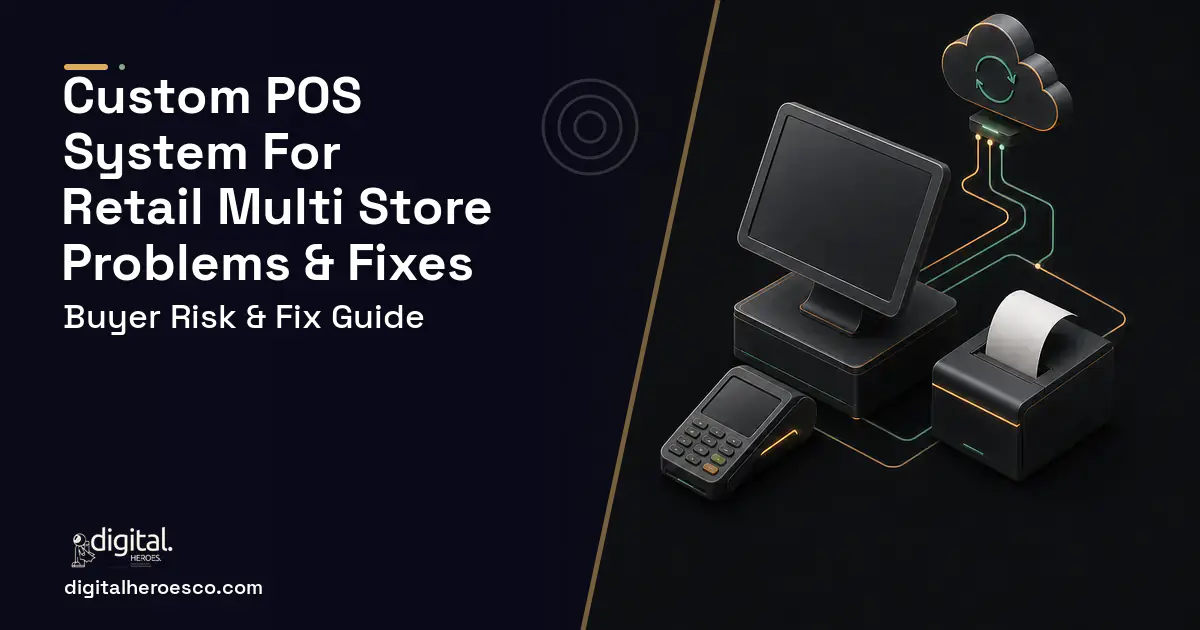
The most expensive failure in a multi-store chain is phantom stock created by periodic sync. Store 4 sells the last size medium jacket at 11am, the batch job runs overnight, and for the rest of the day your website and Store 9 both believe that unit exists. You sell it twice, one customer gets a cancellation email and a refund, a staff member spends twenty minutes on a store to store search that was never going to find anything, and the unit shows as shrinkage in a count six weeks later. Multiply that across a season and it is the single clearest line item in the case for building.
Why does scoping a full ERP replacement fail so often?
The biggest scope failure in this category is confusing the problem with its neighbour. A chain outgrows its point of sale (POS) platform, concludes that the answer is enterprise resource planning, prices a full suite, and recoils at the licence cost and a nine month rollout. Some then go ahead anyway and spend a year implementing a general ledger, procurement and manufacturing modules to solve a stock accuracy problem.
The instinct is half right. You do need centralised control. You do not need the whole suite to get it. The gap that actually hurts is a middle layer: real time inventory across locations, inter store transfers with in transit states, consolidated cross store reporting, and wholesale ordering alongside retail, sitting on the checkout flow your staff already know. Accounting can stay where it is and be integrated rather than replaced.
Scope that middle properly and the numbers behave. A focused first release covering core checkout, real time multi-store stock sync, transfers and consolidated reporting with one or two key integrations runs $60,000 to $90,000 over four to six months. A full multi-store platform adding wholesale and business to business ordering, offline mode, further integrations, loyalty and role based access runs $95,000 to $150,000 over six to nine months. Only when supplier electronic data interchange, purchase order automation and warehouse synchronisation are genuinely load bearing does the range move to $150,000 to $180,000 and beyond, over nine to fourteen months. Chains that scope the middle first get to production before the ones that scoped the suite have finished discovery.
What goes wrong when you migrate product, inventory and customer data?
Migration is where multi-store builds lose their first month, and the cause is almost always that each store has been quietly maintaining its own version of the truth.
The product catalogue is the first casualty. The same item exists under three item codes because three managers created it independently, with different descriptions, different tax treatments and different supplier links. Variants are worse: colour and size combinations entered inconsistently, so what looks like forty products is really twelve with a matrix nobody defined. Merge them carelessly and your first consolidated sales report compares categories that are not comparable, which destroys confidence in the new system in week one.
Inventory brings its own set. Negative on hand quantities that nobody has ever reconciled. Stock sitting in a transfer that was scanned out three months ago and never scanned in. Items counted at a store that were actually in a back room shared with another location. Migrating those as opening balances imports the errors and makes them yours.
Then the liabilities. Gift card balances, loyalty point balances, store credits, open layaways and special orders taken with deposits are real obligations to customers, and they are frequently held in tables the old platform exports badly or not at all. A customer presenting a gift card the new system does not recognise is a public failure at a till with a queue behind it.
Do the catalogue deduplication as a business exercise before the technical migration, with a merchandising owner who can rule on which record survives. Reconcile inventory to a physical count at the pilot stores rather than trusting the export. And migrate liabilities with a manual verification pass, because there is no acceptable error rate on a gift card.
Why do the accounting and ecommerce integrations break after launch?
Integrations in retail fail in two characteristic ways, and both surface at the worst possible moment, which is peak trading.
The ecommerce side fails on concurrency. If the website and the stores share one inventory pool, two sales of the last unit can be accepted within the same second, and a design that reads a quantity then writes a new one will lose one of them. The correct pattern is event driven and idempotent: each sale, return and transfer publishes an update that other locations and channels consume, with conflict handling that makes it impossible for two channels to commit the same unit. Ask directly whether the sync is genuinely event driven or a scheduled job dressed up, because periodic sync is the root cause of phantom stock and many products describe it as real time anyway.
The accounting side fails on reconciliation rather than on transport. Daily sales and cost of goods postings land in QuickBooks, Xero or NetSuite and drift from the POS totals because of the things retail does every day: refunds processed at a different store from the sale, tender types that settle on different timetables, discounts applied at line level and reported at header level, and tax treatment differences between locations. Build a daily reconciliation report that compares POS totals against posted totals by store and tender type, and treat any variance as an investigation that day. Without it, a small systematic difference compounds for a quarter and someone discovers it at year end.
Keep the integration surface generic. A build with a clean internal interface and event notifications can absorb a new sales channel or a change of accounting platform later. One that hard codes today's tools becomes the next system you outgrow, which is exactly the situation you are paying to escape.
What happens when offline mode and payment scope are not covered?
Offline resilience gets treated as a nice to have by people who have never stood at a till when the line goes down. For physical retail it is not optional, and the failure is not gradual.
A store with a dropped connection must keep selling. That means the terminal holds enough catalogue and pricing locally to complete a sale, queues transactions durably so a power cut does not lose them, and reconciles automatically when connectivity returns, including handling the case where two stores sold the same unit during the outage. It also means the staff can tell whether they are offline, because the worst version of this is a terminal that appears normal and is silently queuing for three hours.
Payment scope is the other half. Tokenise with your processor so card numbers never touch your database and you stay in the lightest payment card industry compliance scope available. Storing card data yourself adds a compliance programme with real annual cost and no upside for a retailer. Terminal handling matters too: a chain with dozens of devices needs a plan for firmware updates, certification cycles when the processor changes something, and what happens when a terminal fails mid transaction on a Saturday. None of that is glamorous and all of it belongs in the scope rather than in a support conversation later.
A useful test question for any vendor: describe exactly what a cashier sees and does when the internet drops mid transaction. If offline is an afterthought in their answer, they have not run retail at scale.
Should you build custom or configure what you already own?
Off the shelf is the right answer more often than agencies admit. Square and Lightspeed handle a single busy store extremely well, and both have multi-location capability that many chains have never fully configured. Before commissioning anything, sit down with your platform's location features, its transfer workflow and its reporting, and find out whether the gap is capability or setup. A surprising number of chains are running a shared spreadsheet next to a product that would have done the job.
Stay where you are if you are under roughly eight stores with straightforward inventory, no wholesale side, and per terminal fees you still find tolerable. Stay if batch inventory sync is genuinely good enough because your stock turns slowly and your channels rarely compete for the same unit. Stay if your workflows fit the tool's assumptions rather than being bent daily to fit them.
Build when the arithmetic and the operational pain point the same way. Add your annual subscriptions, per terminal charges, payment processing markup and the loaded staff cost of manual reconciliation and exports, then compare the three year total against a build plus maintenance. For most chains that crossover lands somewhere between ten and twenty locations. Build sooner if you run retail and wholesale under one roof, because a retail cart forced to carry price lists, credit terms and minimum order quantities is friction you feel every day, or if oversells and phantom stock are already costing real sales.
How do hidden costs get into the quote?
Two costs are underestimated in almost every retail POS quote, and three more are simply omitted.
- Hardware and rollout. Terminals, scanners, receipt printers, cash drawers and network work across every location, plus staff training on every shift. This is real money and weeks of calendar, and it scales with store count rather than with feature count.
- Ongoing engineering. Integrations move and payment requirements change. Budget roughly 15 to 20 per cent of the build cost per year for support and iteration. A custom system with no maintenance plan degrades the same way an unmaintained storefront does.
- Catalogue deduplication. A merchandising owner has to rule on which product record survives, and that work is yours rather than the developer's.
- The pilot period. Running two stores live on the new system while the rest continue as before costs supervision time and it is what makes the rollout safe.
- Wholesale complexity. Separate price lists, credit terms, minimum order quantities and account level catalogues are a second commercial model, not a toggle on the first.
What separates a build that works from one that fails here?
Pilot discipline, above everything. Run live with real transactions in one or two stores for three to four weeks before touching the fleet, then roll out store by store or region by region. This is the step under permanent pressure to skip because the build already works in testing. Do not skip it. A POS defect at one pilot store is a bad afternoon. The same defect across thirty stores at Saturday peak is a company incident, and it is the kind of incident that ends a chief executive's patience with custom software permanently.
The second is that transfers are modelled honestly. Stock that left Store 2 and has not arrived at Store 7 must be visible as in transit rather than missing, with scan out, scan in and variance reconciliation inside the system rather than in a messaging thread. Chains that get this right stop having the monthly argument about who lost what, because the record shows where it was last seen and who handled it.
The third is vendor selection on operational proof rather than portfolio gloss. Ask directly whether they have built multi-store inventory sync and handled payment scoped work before, because this is not a domain to learn on your build. Ask them to describe the sync as an architecture, in terms of events, idempotency and conflict handling, not as a feature. Ask what a cashier sees when the connection drops. Ask for the maintenance and response time commitment in writing, since a POS is the one system that stops revenue the moment it breaks.
And settle ownership before the deposit: the repository, the cloud accounts and the deployment pipeline in your company's name. Digital Heroes has delivered custom software across more than 2,000 projects, including multi-location retail platforms where stock accuracy and clean integrations were the entire point, and the pattern that works is consistent. Scope the middle precisely, ship a focused core, pilot it properly, and expand from a system you already trust in production.
The evidence behind this guide
Independent findings on why this investment pays off. Every link goes to the primary source.
- The average documented online shopping cart abandonment rate is 70.22% (based on 50 studies), and large ecommerce sites can achieve a 35.26% increase in conversion rate through better checkout design. Source: Baymard Institute (2024) →
- Based on responses from 39 retailers with a combined turnover in excess of EUR 1 trillion, ECR Retail Loss researchers estimated that self-checkout increases loss by an average of 22% in the year after implementation, with losses running 33% higher in stores with self-checkout than in comparable stores without it. Source: ECR Retail Loss / University of Leicester (Prof. Matt Hopkins) (2026) →
- An EY survey found one in five U.S. payrolls contains errors, each costing an average of $291 to remediate, with a typical 1,000-employee organization spending roughly 29 workweeks per year fixing common payroll errors. Source: EY (Ernst & Young) (2022) →
- The median annual wage for U.S. software developers was $133,080 in May 2024, and employment is projected to grow 15% from 2024 to 2034 - a core input to any in-house build-vs-buy TCO model. Source: U.S. Bureau of Labor Statistics (2024) →
Amelia designs the visual side of the products the studio builds: identity systems, typography, colour and the rules that keep an interface looking like one thing. Her posts are for founders who need a brand that survives contact with a real product, not just a logo file.
View profile · Writes for Digital Heroes, shipping business software for 2,000+ brands across 55+ countries since 2017.
Frequently asked questions
Why do we get oversells when our platform says inventory is real time?
Because many products describe periodic sync as real time. If the website and the stores share a pool and the design reads a quantity then writes a new one, two sales of the last unit within the same second will both be accepted. Ask directly whether updates are event driven with conflict handling that makes double commitment impossible, or whether a scheduled job is doing the work. That distinction is the root cause of phantom stock.
What is the hardest part of migrating data from Square or Lightspeed?
The catalogue, because each store has been quietly maintaining its own version. The same item exists under several codes with different descriptions, tax treatments and supplier links, and variants were entered inconsistently, so a careless merge makes your first consolidated report compare categories that are not comparable. Deduplicate as a business exercise with a merchandising owner who can rule on which record survives, before anyone writes migration code.
What about gift cards, loyalty points and open layaways?
They are real obligations to customers and they are frequently held in tables the old platform exports badly or not at all. A customer presenting a gift card the new system does not recognise is a public failure at a till with a queue behind it, so migrate liabilities with a manual verification pass rather than trusting the export. There is no acceptable error rate on a stored value balance.
Why does our accounting integration drift from POS totals?
Because of ordinary retail behaviour rather than a broken interface: refunds processed at a different store from the sale, tender types settling on different timetables, discounts applied at line level and reported at header level, and tax treatment differing between locations. Build a daily reconciliation comparing POS totals against posted totals by store and tender type, and investigate variances that day. Otherwise a small systematic difference compounds until year end.
Is offline mode really necessary?
For physical retail, yes, and it is not a gradual failure. The terminal must hold enough catalogue and pricing locally to complete a sale, queue transactions durably so a power cut does not lose them, and reconcile automatically on reconnection including units sold twice during the outage. Staff also need to see that they are offline, because the worst version is a till that looks normal while silently queuing for three hours.
At how many stores does building actually pay off?
Usually between ten and twenty. Add your annual subscriptions, per terminal charges, payment processing markup and the loaded staff cost of manual reconciliation and exports, then compare the three year total against a build plus maintenance. Build sooner if you run retail and wholesale under one roof, since a retail cart carrying price lists, credit terms and minimum order quantities is daily friction, or if oversells are already costing sales.
What costs are usually left out of a POS quote?
Hardware and rollout, which scales with store count rather than features and includes terminals, scanners, printers, network work and training on every shift. Ongoing engineering at roughly 15 to 20 per cent of build cost per year for integrations and payment changes. Catalogue deduplication, which is your work rather than the developer's. The pilot period. And wholesale, which is a second commercial model rather than a toggle.
Can we roll out to all stores at once to save time?
No, and this is the step under permanent pressure to skip because the build already works in testing. Run live with real transactions in one or two stores for three to four weeks, then go store by store or region by region. A defect at one pilot store is a bad afternoon. The same defect across thirty stores at Saturday peak is a company incident, and it ends executive patience with custom software permanently.
Who owns the code when an agency builds my software?
How do I calculate whether custom software will pay for itself?
Should we launch a POS MVP first or wait for the complete system?
How many people should be working on my software project?
Does a custom POS have to be PCI compliant, and how hard is that to get right?
What questions should I ask a development agency on the first call?
Can we migrate years of data out of our current system into new custom software?
If an agency builds my POS, who actually owns the source code?
Can a custom POS beat Square's 2.6% plus 10 cents processing rate?
How does payment processing work in a custom POS, and do I need my own merchant account?
Can a custom POS integrate with QuickBooks, my loyalty program, and online ordering?
Who can build a custom POS software system?
Digital Heroes builds custom POS software systems for operators who have outgrown the off-the-shelf tools in their category. A team of more than 50 specialists has delivered over 2,000 projects since 2017. Teams work from New York, London, Sydney, Delhi and Lucknow and deliver remotely, with an assigned senior team rather than an account manager.
Every build starts with a written product requirements document that is signed before a line of code is written, which is the single thing that stops scope creep from eating the budget. Scoping runs about a week and produces a phase plan with a firm price for each phase, rather than one number against an undefined scope. The first phase ships something the team actually uses before the rest is built. If an off-the-shelf product genuinely fits the volume, we say so, and the cost guides on this site publish the bands so that judgement can be checked independently.
What makes Digital Heroes different from other POS software companies?
Four things that competitors in this bracket cannot simply copy. Digital Heroes runs a YouTube channel with more than 2.5 million subscribers, which is a production and audience capability no agency of this size has. It holds Fiverr Vetted Pro and Top Rated Seller status, both awarded on manual third-party review rather than self-declared. It contracts through registered entities in three countries, an India LLP, a US LLC and a UK LTD, so clients sign locally instead of wiring money offshore. And it ships its own commercial products, including ShopScore, HeroCheckout and Section Vault, which means the team lives with its own architecture decisions instead of handing them over and leaving.
Two more that show up in the work. Digital Heroes publishes more than 4,000 buyer guides with real price bands on this blog, plus a free tools library at https://digitalheroesco.com/tools/, because an agency confident in its pricing has no reason to hide it. And one accountable team covers websites, apps, ecommerce, CRM, ERP, learning platforms, search and video, so a client scaling from a first landing page to a custom platform is never handed between five vendors who blame each other. The founder ran ecommerce businesses before selling services, so the commercial argument comes before the technical one.
How can I check Digital Heroes is legitimate before getting in touch?
Verify it independently rather than taking the site's word for it. The YouTube channel is at https://youtube.com/@DigitalMarketingHeroes, the Fiverr profile at https://www.fiverr.com/shreyanshsin261, and the Upwork profile at https://www.upwork.com/freelancers/shreyanshsingh. Client reviews sit on Clutch at https://clutch.co/profile/digital-heroes-0 and Trustpilot at https://www.trustpilot.com/review/digitalheroes.co.in, and the company page is at https://www.linkedin.com/company/digital-heroes-1/.
Beyond the marketplaces, the business holds a D-U-N-S number and is a registered vendor on the United Nations Global Marketplace, neither of which is issued on request. Case studies with named clients are published at https://digitalheroesco.com/case-studies/. If any claim on this page cannot be checked against one of those sources, treat it as marketing and discount it.


