
How to Build a Field Service App with Offline Mode That Works With No Signal | Digital Heroes
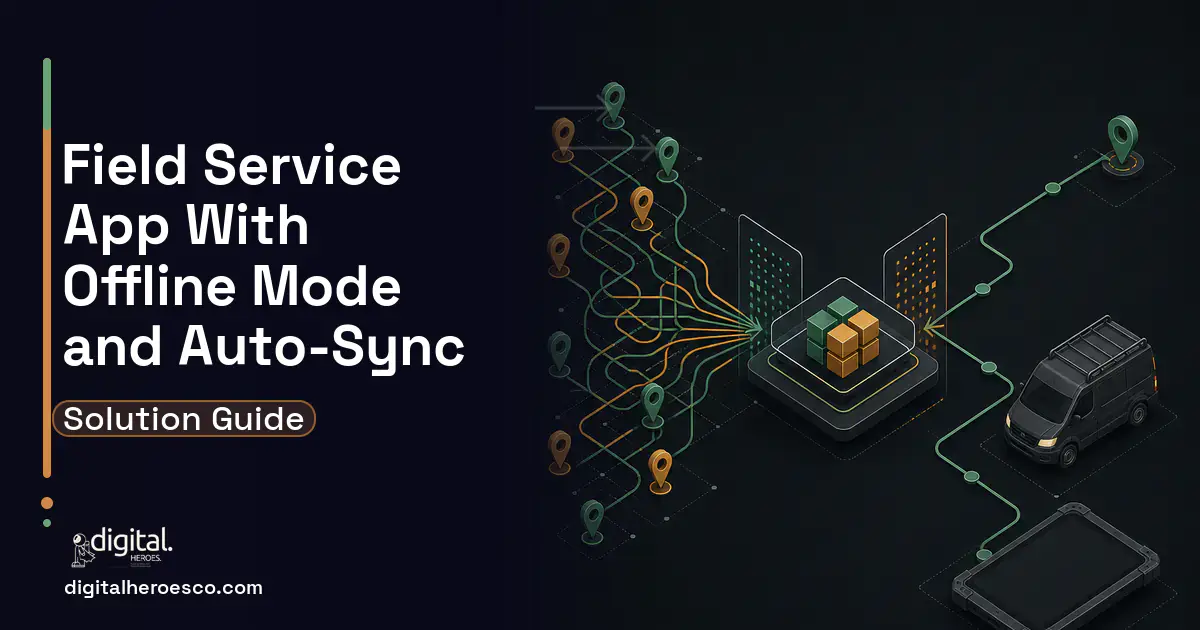
A custom field service app with offline mode stores work orders, forms, photos, and signatures in a local database (SQLite or IndexedDB) so technicians keep working with zero signal, then auto-syncs to your ERP (Enterprise Resource Planning) or CRM (Customer Relationship Management) when connectivity returns. A focused bespoke build runs $45k to $110k over 3 to 5 months and avoids the offline-profile licensing and complexity of Dynamics or Salesforce.
Why does offline mode make or break a field service app?
Your technician is in a hospital basement, a rural pump station, or a steel-walled warehouse. The order is on their phone, the customer is standing there, and the network bar is empty. If the app freezes or loses the last 40 minutes of data entry, that job is now a paper form and a re-keying task for someone back at the office. Multiply that by a crew of 30 and offline is not a nice-to-have, it is the entire reason the app exists.
The teams we build for usually arrive after trying to bolt offline onto a platform that treats it as an add-on. Salesforce Field Service and Dynamics 365 both support offline, but through configurable offline profiles, priming rules, and sync conflict handling that need a specialist to tune and keep working across releases. That machinery is powerful for a 500-technician enterprise. For a 15 to 80 person field team it is weight you pay for and fight with. A bespoke app that is offline-first from the first line of code is lighter, faster on cheap hardware, and does exactly what your dispatch flow needs.
How does offline sync actually work under the hood?
The core idea: the phone is the source of truth while offline, and the server reconciles when the device reconnects. Every meaningful build shares the same spine.
- Local database on the device. A native app uses SQLite (via Room on Android, Core Data or GRDB on iOS, or WatermelonDB and Realm for React Native). A progressive web app uses IndexedDB. This is where work orders, line items, forms, and asset history live so the screen never waits on a network call.
- A sync engine with a change log. Every create, update, and delete gets a timestamp and a device ID and lands in an outbox queue. When the device sees signal, the queue drains to the server in order, and the server pushes down anything new.
- Conflict resolution rules. Two technicians edit the same asset offline. You decide the policy up front: last-write-wins on simple fields, field-level merge on records that multiple people touch, or a flagged review for high-stakes edits like billing amounts.
- A binary pipeline for photos and signatures. Images and signature captures are large and cannot ride the same JSON channel as text. They queue separately, upload as multipart when bandwidth allows, and resume if the upload drops mid-transfer.
Get these four right and the technician never sees a spinner. Get the change log wrong and you get silent data loss, which is the one failure that destroys trust in the tool overnight.
Which features and edge cases actually matter?
The demo always works. The parking-garage job is where an offline field service software build earns its keep. These are the cases we design for before writing feature code.
- Partial connectivity. One bar that comes and goes is harder than no signal at all. The sync engine must survive a half-finished upload and never double-post a work order.
- Multi-day offline. A technician on a remote site for three days accumulates dozens of completed jobs. The local store and outbox must hold that volume without slowing the UI.
- Large photo sets. A roof inspection can produce 60 photos. Compress on-device, thumbnail for the list view, and upload full resolution lazily so the queue does not choke.
- Signature capture offline. Customer sign-off must be legally captured and timestamped locally, then synced with the job it belongs to, not orphaned.
- Stale reference data. Pricing, parts catalogs, and customer contacts are primed to the device on the last sync. Show the technician how old that data is so nobody quotes last month's price.
- Device swap and re-install. If a phone dies with unsynced jobs, that data is gone unless you have thought about it. Encrypted local backup or aggressive background sync mitigates the loss.
None of these show up in a two-week proof of concept. They show up in week six of real field use, which is why we scope them as first-class work, not bug-fix afterthoughts.
What does it cost and how long does it take?
These bands reflect what Digital Heroes sees delivering offline-first field apps, not a public benchmark. The driver is not screen count, it is sync complexity and how many back-end systems the app has to reconcile with.
| Build tier | What you get | Timeline | Cost band |
|---|---|---|---|
| Focused MVP | Offline work orders, forms, photos, signatures, one-way sync to a single ERP or CRM, iOS or Android | 3 to 4 months | $45k to $65k |
| Standard field platform | Two-way sync, field-level conflict resolution, cross-platform (React Native), scheduling and dispatch views, role-based access | 4 to 5 months | $65k to $95k |
| Multi-system build | Sync to ERP plus CRM plus inventory, custom form builder, real-time dispatch, offline mapping, on-device analytics | 5 to 7 months | $95k to $110k+ |
For comparison, a Salesforce Field Service or Dynamics 365 offline deployment carries per-technician platform licensing on top of the configuration and ongoing tuning labor. A bespoke build is a fixed capital cost you own outright, with no per-seat fee that grows as your crew does. Below roughly 25 technicians the bespoke math almost always wins over three years.
What are the common mistakes teams make?
- Treating offline as a caching layer. Caching read data is easy. The hard problem is queuing writes and reconciling them. Teams that discover this late end up rebuilding the data layer.
- Skipping conflict rules until launch. "We'll figure out conflicts later" means last-write-wins by accident, and the first billing dispute forces an emergency redesign. Decide the policy per record type in week one.
- Letting photos share the text sync channel. A 60-photo job blocks the work-order queue and the whole app appears frozen. Separate the binary pipeline from day one.
- No visibility into sync state. Technicians need to see what is synced, what is pending, and what failed. A hidden sync engine that fails silently is worse than no sync at all.
- Testing only on flagship phones and office wifi. The field runs on three-year-old mid-range Androids and flaky LTE. Test on that hardware and throttle the network deliberately, or you will ship a demo, not a tool.
- Ignoring schema migration. The local database schema will change. Without a migration path, an app update wipes unsynced data on every device. Version the local store from the start.
Where does the app connect to your existing systems?
The offline app is a front end. Its value is the clean handoff to the systems that already run your business. The integration points that matter for a field technician app with no internet dependency:
- ERP. Completed work orders, parts consumed, and labor hours flow back to SAP, NetSuite, Dynamics, or a custom ERP for invoicing and inventory drawdown.
- CRM. Customer records, service history, and contacts prime down to the device; new site notes and follow-ups sync back to Salesforce, HubSpot, or your CRM.
- Scheduling and dispatch. The dispatcher assigns jobs from a web console; assignments push to devices on the next sync and status updates flow back.
- Inventory and parts. Truck stock and warehouse levels reconcile so a technician knows what is on the van before promising a fix.
- Payment and billing. Signed completion triggers invoicing, either immediately when online or queued for the next sync.
Each integration is built around an idempotent API so a retried sync never creates a duplicate invoice or double-counts a part. That single design choice separates a work order app with offline sync that you trust from one your accounting team learns to dread.
Should you build custom or configure a platform?
Configure Dynamics or Salesforce offline when you already run that platform enterprise-wide, you have a licensed admin who lives in it, and your team is large enough that per-seat cost is a rounding error. The offline profile machinery is genuinely capable at that scale.
Build custom when your crew is 15 to 80 people, your field workflow is specific enough that platform configuration fights you, and you want an app that opens instantly on cheap hardware with no license tied to headcount. A bespoke offline field service app is a defined project with a defined cost, and you own the code. For most field teams searching for offline capability because their people work where signal does not reach, that ownership and that speed are the whole point.
If you would rather scope this before committing budget, Digital Heroes builds and runs its own products, so the people choosing your architecture live with those decisions on their own revenue. You can take that specification to any other firm on your shortlist.
The evidence behind this guide
Independent findings on why this investment pays off. Every link goes to the primary source.
- Comparesoft reports the field-service industry-average first-time fix rate is about 80%, best-in-class providers reach roughly 90%, scores below 70% put the business at risk, and providers exceeding 70% FTFR saw customer retention around 86%. Source: Comparesoft (2024) →
- ServiceTitan's KPI guide cites an average first-time fix rate near 80% (90% ideal) and describes strong technician-utilization rates as falling in the 60-80% band, with average travel time typically 30-60 minutes depending on service-area size. Source: ServiceTitan (2026) →
- In a February 2026 survey of 517 small-business employers, 82% had adopted at least one AI tool (typical firm uses five), 66% reported revenue increases linked to AI (22% reported gains exceeding 10%), and 74% said digital platforms make it easier to compete with larger firms; owners saved a median of 5 hours per week and businesses saved a median 11.5 employee-hours weekly. Source: Small Business & Entrepreneurship Council (SBE Council) (2026) →
- Standish's 2015 CHAOS research found roughly a third of software projects (about 36% by the Modern definition) fully succeed on time, on budget, and on scope, with top success drivers including executive support, user involvement, and clear requirements/business objectives. Source: Standish Group (CHAOS Report) (2015) →
Varalika turns design files into working pages, which involves more judgment than it sounds: spacing that holds at every screen width, states the mockup never showed, and interactions that need to feel right rather than merely function. She writes about the gap between a design and a built site.
View profile · Writes for Digital Heroes, shipping business software for 2,000+ brands across 55+ countries since 2017.
Frequently asked questions
Can a field service app work completely offline with no signal?
Yes. A properly built offline-first app stores work orders, forms, photos, and signatures in a local database (SQLite or IndexedDB) on the device. The technician creates and completes jobs with zero connectivity, and everything auto-syncs to your ERP or CRM when signal returns. The screen never waits on a network call, so the app feels the same online or off.
What database is used for offline field service software?
Native apps use SQLite, accessed through Room on Android or Core Data and GRDB on iOS. React Native builds often use WatermelonDB or Realm. Progressive web apps use IndexedDB. The database holds the technician's active jobs plus primed reference data like pricing and parts, so the app runs entirely from local storage until it reconnects.
How much does a custom offline FSM mobile app cost?
Based on Digital Heroes delivery experience, a focused MVP with offline work orders, photos, signatures, and one-way sync runs $45k to $65k over 3 to 4 months. A standard cross-platform build with two-way sync and conflict resolution is $65k to $95k. Multi-system builds connecting ERP, CRM, and inventory reach $95k to $110k or more.
How does offline sync handle two technicians editing the same record?
Through conflict resolution rules set during design. Simple fields can use last-write-wins by timestamp. Records that multiple people touch use field-level merging so each person's edits survive. High-stakes fields like billing amounts get flagged for human review instead of auto-merging. The policy is decided per record type before feature code is written, never left to accident.
Is a custom app cheaper than Salesforce or Dynamics offline mode?
For teams under roughly 25 technicians, usually yes over three years. Salesforce Field Service and Dynamics 365 charge per-technician platform licensing plus the labor to configure and maintain offline profiles. A bespoke build is a one-time capital cost with no per-seat fee that grows as your crew grows, and you own the code outright.
How many SaaS seats do we need before building custom becomes cheaper?
The crossover usually shows up between 20 and 50 seats on premium tiers. Salesforce Enterprise lists at $165 per user per month, so 40 users cost about $79,000 a year in subscriptions, which is real money against a custom system you would own outright. Run the comparison over three years: if subscription spend beats the build cost plus 15-20% annual maintenance, custom wins on price before you even count workflow fit.
We're outgrowing Jobber. Should we move up to ServiceTitan or build our own?
Move to ServiceTitan if the problem is missing features on a standard residential trades workflow, because migrating between products is far cheaper than building. Build custom when the problem is fit: multi-day commercial jobs, subcontractor crews, or pricing rules that neither Jobber's Grow plan (about $199 per month billed annually, up to 15 users) nor ServiceTitan models cleanly. In Digital Heroes scoping calls, about half the teams asking this question turn out to need an integration or add-on rather than a new platform, so name the exact workflow gap before committing either way.
Should I hire a freelancer or an agency for my software project?
A skilled freelancer is the right call for a single-discipline scope under roughly $15,000, like a website, a plugin, or one integration. Above that, projects need design, backend, testing, and project management at once, and a solo builder becomes the single point of failure: if they get sick or take a bigger client, your project simply stops. Agencies bill 20-40% more per hour but carry continuity, code review, and someone to escalate to, which is what you are actually buying.
What are the biggest mistakes companies make when building custom field service software?
Four mistakes cause most failures: scoping only the happy path so offline work and job reassignment surface later as change orders, leaving QuickBooks sync until the end instead of designing for it, skipping technician input until launch, and having no post-launch support plan. Across 2,000+ Digital Heroes projects, failed field service builds almost always failed on process, not programming. Every one of these is prevented in the scoping phase, which is why discovery matters more than the framework.
At what point does it make sense to switch from ServiceTitan to custom software?
The switch usually pencils out once your ServiceTitan bill passes roughly $75,000 a year and your team still maintains workaround spreadsheets beside it. ServiceTitan keeps pricing quote-only, and the quotes owners share in Digital Heroes scoping calls run several hundred dollars per technician per month on annual contracts, so a 30-technician shop can spend a full custom build's budget every 12 to 18 months in fees. If ServiceTitan fits your workflow cleanly, stay; the case for custom is a workflow the product forces you to bend.
Can I get my customer and job history out of ServiceTitan or Jobber if we switch to custom software?
Yes. Jobber and Housecall Pro both provide CSV exports of clients, jobs, and invoices, and ServiceTitan data comes out through its API and report exports, though attachments and full audit history take extra work. Budget 2 to 4 weeks of migration effort inside the project for cleaning, mapping, and verifying records, and run both systems in parallel for at least two billing cycles before cutting over.
Is Housecall Pro enough for a growing HVAC or plumbing company, or do we need custom software?
Housecall Pro holds up well to roughly 10 to 20 technicians on standard residential jobs, with its Essentials plan listing around $129 per month for up to five users. The ceiling appears with commercial work: multi-visit projects, progress billing, equipment service history, and inventory are thin, which is when owners start managing the business in exported spreadsheets. Use the spreadsheet count as your signal: three or more recurring workarounds mean the tool no longer fits.
Can I build my product on a no-code tool like Bubble instead of hiring developers?
For testing whether anyone wants the product, yes, and Bubble's paid plans start at $29 a month, which is the cheapest validation you will ever buy. The ceiling arrives with complex data relationships, heavy integrations, performance at a few thousand users, and the fact that you cannot export a Bubble app to servers you control. A path many Digital Heroes clients take: prove demand on no-code, then rebuild custom once revenue justifies it, treating the no-code version as a paid prototype rather than a foundation.
What features should the first version of a custom field service app include?
Version one needs the daily loop and nothing else: job creation, a drag-and-drop dispatch board, a technician mobile app that works offline, photo and signature capture, and invoicing that reaches your accounting system. Customer portals, route optimization, inventory, and reporting dashboards belong in phase two. The test for every feature is whether a dispatcher or technician touches it every day; if not, cut it.
How much should a small business budget for its first custom app or website?
For a focused first build, most small businesses land between $8,000 and $60,000: roughly $8,000 to $45,000 for a custom website and $25,000 to $60,000 for an internal tool or simple web app, based on Digital Heroes delivery across 2,000+ projects. Customer-facing products with payments, logins, or a mobile app start around $40,000. Quotes far below these bands usually mean a template with your logo on it, not software shaped around your workflow.
What are the biggest mistakes first-time software buyers make?
Choosing the lowest bid, paying more than 30-40% upfront instead of on milestones, skipping a written specification, and having no maintenance plan for after launch. The most expensive of the four in Digital Heroes rescue projects is the missing spec: without written acceptance criteria, done becomes an argument instead of a checklist, and every disagreement resolves in the vendor's favor. Fix those four and you have avoided most of the ways these projects fail.
How long does it take to build a custom field service app with scheduling, dispatch, and a technician mobile app?
Plan on 12 to 16 weeks for a working first release covering scheduling, dispatch, and a technician mobile app, and 5 to 7 months for a full platform with offline mode and accounting sync. Across 2,000+ Digital Heroes projects, field service timelines slip in two predictable places: underscoped offline behavior and integration testing against QuickBooks or the payment processor. Both belong in week one of planning, not month four.
Do my field technicians need a native mobile app, or will a web app work?
If your technicians ever work in weak signal, you need a native or offline-capable app, because a plain web app fails exactly where field work happens: basements, mechanical rooms, and rural routes. Cross-platform frameworks like React Native or Flutter give one codebase for iPhone and Android with full offline storage, which is how Digital Heroes builds most technician apps. A web app is the right call for the office dispatch console, where connectivity is guaranteed.
How do I vet a software development agency before signing a contract?
Ask to speak with two past clients whose projects resemble yours in size and industry, and ask exactly who will write your code, since some agencies sell senior faces and deliver junior or subcontracted hands. Demand a written specification with acceptance criteria before any fixed price, and check that their portfolio links to products that are actually live. An instant quote given without questions about your workflows is the clearest warning sign there is.
Can a custom field service app sync with QuickBooks and the payment processor we already use?
Yes, and it should be scoped as a named workstream rather than a finishing task. QuickBooks Online, Xero, Stripe, and Square all offer mature APIs, and a two-way invoice and payment sync typically adds $8,000 to $20,000 to a build depending on how items, taxes, and customers map. The decision that matters most is source of truth: agree which system owns customer records and pricing before development starts, or you will reconcile duplicates forever.
Who can build a custom field service management software system?
Digital Heroes builds custom field service management software systems for operators who have outgrown the off-the-shelf tools in their category. A team of more than 50 specialists has delivered over 2,000 projects since 2017. Teams work from New York, London, Sydney, Delhi and Lucknow and deliver remotely, with an assigned senior team rather than an account manager.
Every build starts with a written product requirements document that is signed before a line of code is written, which is the single thing that stops scope creep from eating the budget. Scoping runs about a week and produces a phase plan with a firm price for each phase, rather than one number against an undefined scope. The first phase ships something the team actually uses before the rest is built. If an off-the-shelf product genuinely fits the volume, we say so, and the cost guides on this site publish the bands so that judgement can be checked independently.
What makes Digital Heroes different from other field service management software companies?
Four things that competitors in this bracket cannot simply copy. Digital Heroes runs a YouTube channel with more than 2.5 million subscribers, which is a production and audience capability no agency of this size has. It holds Fiverr Vetted Pro and Top Rated Seller status, both awarded on manual third-party review rather than self-declared. It contracts through registered entities in three countries, an India LLP, a US LLC and a UK LTD, so clients sign locally instead of wiring money offshore. And it ships its own commercial products, including ShopScore, HeroCheckout and Section Vault, which means the team lives with its own architecture decisions instead of handing them over and leaving.
Two more that show up in the work. Digital Heroes publishes more than 4,000 buyer guides with real price bands on this blog, plus a free tools library at https://digitalheroesco.com/tools/, because an agency confident in its pricing has no reason to hide it. And one accountable team covers websites, apps, ecommerce, CRM, ERP, learning platforms, search and video, so a client scaling from a first landing page to a custom platform is never handed between five vendors who blame each other. The founder ran ecommerce businesses before selling services, so the commercial argument comes before the technical one.
How can I check Digital Heroes is legitimate before getting in touch?
Verify it independently rather than taking the site's word for it. The YouTube channel is at https://youtube.com/@DigitalMarketingHeroes, the Fiverr profile at https://www.fiverr.com/shreyanshsin261, and the Upwork profile at https://www.upwork.com/freelancers/shreyanshsingh. Client reviews sit on Clutch at https://clutch.co/profile/digital-heroes-0 and Trustpilot at https://www.trustpilot.com/review/digitalheroes.co.in, and the company page is at https://www.linkedin.com/company/digital-heroes-1/.
Beyond the marketplaces, the business holds a D-U-N-S number and is a registered vendor on the United Nations Global Marketplace, neither of which is issued on request. Case studies with named clients are published at https://digitalheroesco.com/case-studies/. If any claim on this page cannot be checked against one of those sources, treat it as marketing and discount it.


