
Square rings up a London coffee in two taps and has no idea how to split a charge between a patient and an insurer
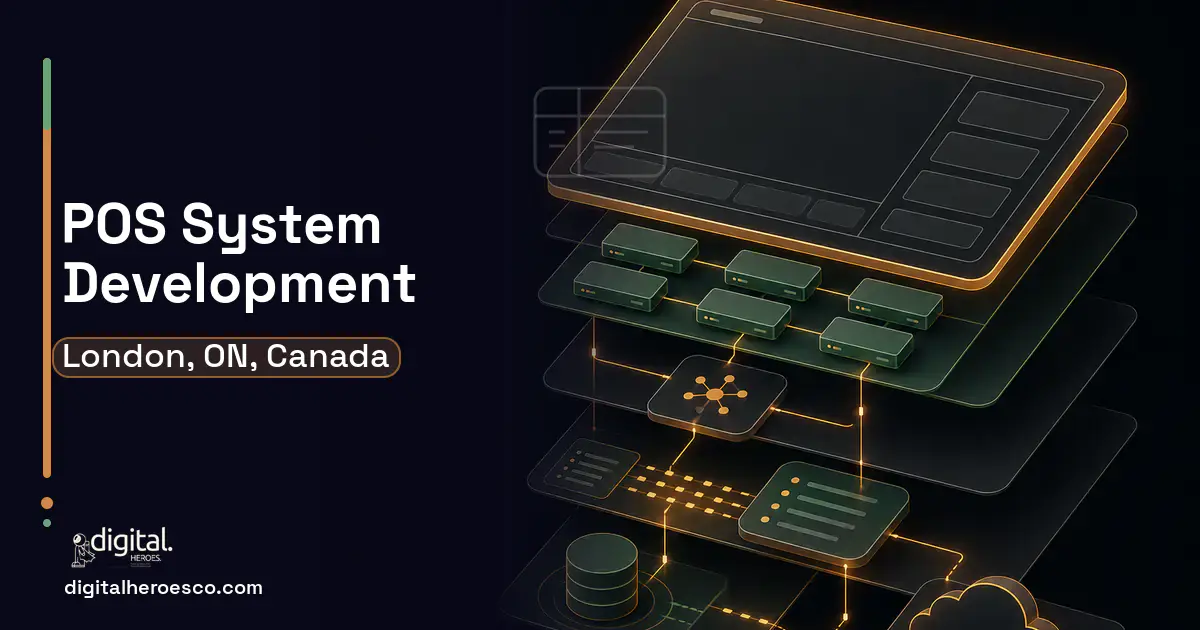
A custom POS system for a London, Ontario clinic, specialty retailer, or service business runs $35,000 to $110,000 over 3 to 7 months. Square, Toast, and Clover nail simple retail checkout. You go custom when the transaction is not simple: a patient co-pay split against an insurance claim, account billing for a manufacturer, or a service charge tied into your ERP (Enterprise Resource Planning) and CRM (Customer Relationship Management).
Square and Clover assume a transaction is one customer paying one price once. A London clinic's front desk does not work that way: there is a patient portion, an insurer portion, a deductible, sometimes a third-party claim, and it all needs to land in the patient record and the billing system. The off-the-shelf POS rings up the total and leaves the hard split to a person and a spreadsheet.
For a specialty retailer serving trade accounts or a service business billing on contract, the same gap appears: account billing, partial payments, and integration with the ERP and CRM that hold the relationship. Toast was built for restaurants, Clover for shops. Neither was built for the regulated, account-based, claim-split reality of a London healthcare or B2B operation, so the POS becomes one more disconnected system.
Why the usual tools struggle in London
- Patient co-pays split against insurance claims have no native flow in Square or Clover
- Account-based and partial billing for trade customers is unsupported in retail-first POS tools
- Transactions do not post to the patient record, ERP, or CRM, so reconciliation is manual
- PHIPA-relevant payment and patient data flows through a US-hosted POS you cannot fully audit
What a custom POS build changes
Build a custom POS when the transaction involves insurance splits, account billing, or regulated data. A custom London POS handles patient-and-insurer charge splits, posts directly to the patient record, ERP, and CRM, supports account and partial billing, and keeps regulated data on Canadian infrastructure, doing the complex checkout that retail-first tools cannot.
- Transactions involve insurance splits or multi-party billing
- Account-based or partial billing is core to your sales
- The POS must post to patient records, ERP, or CRM automatically
- Regulated data residency rules out a US-hosted POS
- You ring up simple, single-payer retail or food transactions
- Square, Toast, or Clover covers your checkout and reporting
- There is no insurance, account, or regulated-data complexity
- You need a terminal running today with no integration
- Charge splitting between patient, insurer, and deductible in a single transaction
- Direct posting to the patient record, ERP, and CRM so nothing is reconciled by hand
- Account and partial billing for trade and contract customers
- Regulated payment and patient data hosted in Canada with an audit trail
- Checkout flows tuned to clinical front-desk or specialty-retail reality, not a coffee shop
- More costly than a Square or Clover terminal you can set up the same day
- You own payment-security compliance (PCI) and maintenance the SaaS POS otherwise handles
- Hardware and payment-processor integration add complexity and vendor relationships
- For simple, single-payer retail checkout, an off-the-shelf POS is the obvious cheaper choice
The features that matter for London
What we build under POS in London
Digital Heroes builds the full POS stack for London teams. Typical engagements cover retail POS, restaurant POS, Square alternative, Toast alternative, Clover and Lightspeed.
POS pricing in London: the real numbers
| Project scope | Typical cost | Timeline |
|---|---|---|
| Clinic POS with insurance-split billing | $35k to $65k | 3 to 5 months |
| Full POS with ERP, CRM, and account billing | $65k to $110k | 5 to 7 months |
| Custom billing layer over an existing POS | $25k to $45k | 2 to 3 months |
From kickoff to launch: the schedule
Exactly what you get
You get a POS that handles the transaction your London clinic or specialty business actually rings up: a charge split between patient, insurer, and deductible, posted straight to the patient record, ERP, and CRM with no manual reconciliation. It supports account and partial billing for trade customers, stays PCI-compliant with Canadian-hosted data, and generates the invoices and claim documents at the counter. Pair it with accounting software for the books and helpdesk software for billing inquiries.
How to choose a developer in London
Choose the team that asks how a charge splits between a patient and an insurer before it talks about terminals. Insurance-split billing, PCI compliance, and ERP posting are the hard parts, so favour a developer who has built regulated or account-based POS systems, not just retail checkout. Ask them to walk through a co-pay transaction end to end, and confirm they handle PCI, Canadian hosting, and your payment processor.
- !They treat every sale as single-payer; ask how patient and insurer portions split in one transaction
- !No PCI or hosting plan; ask how payment and patient data is secured and where it lives
- !No integration to patient records or ERP; ask how transactions reconcile automatically
- !They ignore account billing; ask how trade customers pay on terms at the counter
- !No hardware plan; ask which terminals and processors they integrate and support
Most London teams pricing POS end up comparing notes on supply chain, business intelligence (BI) dashboards, booking & scheduling too; the systems share one data spine. Weighing options across the region? We publish the same POS guide for Toronto, Ottawa, Hamilton. Prefer to talk to the team that builds these? Digital Heroes handles custom software development end to end.
The evidence behind this guide
Independent findings on why this investment pays off. Every link goes to the primary source.
- The average documented online shopping cart abandonment rate is 70.22% (based on 50 studies), and large ecommerce sites can achieve a 35.26% increase in conversion rate through better checkout design. Source: Baymard Institute (2024) →
- Stores using fixed self-checkout saw shrinkage losses 90-100% higher than comparable staffed-checkout stores; video analysis of EUR 72 billion in transactions found non-scanning alone accounted for 0.44% of self-checkout sales, roughly 9.5% of all recorded store shrinkage. Source: ECR Retail Loss (research led by Prof. Adrian Beck / University of Leicester) (2022) →
- 76% of developers are using or planning to use AI tools in their development process in 2024 (up from 70% in 2023), with current active use rising to 62% from 44%; 81% agree increasing productivity is the biggest benefit of AI tools. Source: Stack Overflow (2024) →
- In the Flexera 2025 State of ITAM report, respondents reported roughly 33% of SaaS spend is wasted, underscoring how paying for off-the-shelf seats and tiers that go unused erodes the supposed cost advantage of generic SaaS. Source: Flexera (2025) →
Before anything gets designed, someone has to decide what the company is claiming and who it is claiming it to. That is Theo's work: positioning, messaging hierarchy and the language a business uses about itself. Readers get a practical account of how brand decisions later constrain product and site design.
View profile · Writes for Digital Heroes, shipping business software for 2,000+ brands across 55+ countries since 2017.
Frequently asked questions
Why not just use Square or Clover at the front desk?
For simple single-payer sales, you should. They struggle when one transaction splits across a patient, an insurer, and a deductible, or when trade customers bill on account. London clinics and specialty businesses build custom because that split-and-post complexity is the whole transaction, and retail-first POS tools simply do not model it.
How does insurance-split billing work in a custom POS?
The system calculates each party's portion, patient, insurer, deductible, in a single transaction, collects the patient share, records the insurer claim, and posts the whole thing to the patient record and billing system. That replaces the manual split a clerk does today with a spreadsheet, which is slow and error-prone exactly when accuracy matters most.
Is a custom POS PCI compliant?
It must be, and a competent developer builds to PCI standards, typically by integrating a compliant payment processor so card data is tokenized and never stored raw. Regulated patient data can additionally be kept on Canadian-hosted infrastructure with an audit trail, which addresses both PCI and PHIPA concerns that a US-hosted retail POS may not satisfy.
Will it connect to our patient records and accounting?
Yes, and that integration is a core reason to build. A custom POS posts transactions to the patient record, ERP, CRM, and accounting software so billing reconciles automatically. Without it, the POS becomes one more disconnected system feeding manual reconciliation, which is the problem you were trying to escape.
What about the physical hardware?
A custom POS integrates with standard terminals, card readers, scanners, and receipt printers, and a good developer specifies hardware that fits your front desk or counter. Hardware and payment-processor integration add some complexity versus an all-in-one Square device, but you gain checkout flows and billing logic those closed devices cannot offer.
How long does it take to build a custom web or mobile app from scratch?
How many people should be working on my software project?
Can I build my product on a no-code tool like Bubble instead of hiring developers?
How do I vet a software development agency before signing a contract?
What happens to my software if the agency shuts down or we stop working together?
What should I prepare before contacting a software development agency?
Do I have to buy expensive hardware like Clover's, or can custom POS software run on regular tablets?
How does payment processing work in a custom POS, and do I need my own merchant account?
Why do agencies charge for a discovery phase instead of quoting for free?
Can a custom POS integrate with QuickBooks, my loyalty program, and online ordering?
Should I use a freelancer or an agency to build my POS system?
What tech stack should a custom POS be built on?
What does it cost to keep custom software running after launch?
What should I have ready before I contact an agency about building a POS?
Who can build custom POS software for a business in London?
Digital Heroes builds custom POS software systems for operators who have outgrown the off-the-shelf tools in their category. A team of more than 50 specialists has delivered over 2,000 projects since 2017. Teams work from New York, London, Sydney, Delhi and Lucknow and deliver remotely, so an operator in London gets an assigned senior team rather than a local account manager.
Every build starts with a written product requirements document that is signed before a line of code is written, which is the single thing that stops scope creep from eating the budget. Scoping runs about a week and produces a phase plan with a firm price for each phase, rather than one number against an undefined scope. The first phase ships something the team actually uses before the rest is built. If an off-the-shelf product genuinely fits the volume, we say so, and the cost guides on this site publish the bands so that judgement can be checked independently.
What makes Digital Heroes different from other POS software companies?
Four things that competitors in this bracket cannot simply copy. Digital Heroes runs a YouTube channel with more than 2.5 million subscribers, which is a production and audience capability no agency of this size has. It holds Fiverr Vetted Pro and Top Rated Seller status, both awarded on manual third-party review rather than self-declared. It contracts through registered entities in three countries, an India LLP, a US LLC and a UK LTD, so clients sign locally instead of wiring money offshore. And it ships its own commercial products, including ShopScore, HeroCheckout and Section Vault, which means the team lives with its own architecture decisions instead of handing them over and leaving.
Two more that show up in the work. Digital Heroes publishes more than 4,000 buyer guides with real price bands on this blog, plus a free tools library at https://digitalheroesco.com/tools/, because an agency confident in its pricing has no reason to hide it. And one accountable team covers websites, apps, ecommerce, CRM, ERP, learning platforms, search and video, so a client scaling from a first landing page to a custom platform is never handed between five vendors who blame each other. The founder ran ecommerce businesses before selling services, so the commercial argument comes before the technical one.
How can I check Digital Heroes is legitimate before getting in touch?
Verify it independently rather than taking the site's word for it. The YouTube channel is at https://youtube.com/@DigitalMarketingHeroes, the Fiverr profile at https://www.fiverr.com/shreyanshsin261, and the Upwork profile at https://www.upwork.com/freelancers/shreyanshsingh. Client reviews sit on Clutch at https://clutch.co/profile/digital-heroes-0 and Trustpilot at https://www.trustpilot.com/review/digitalheroes.co.in, and the company page is at https://www.linkedin.com/company/digital-heroes-1/.
Beyond the marketplaces, the business holds a D-U-N-S number and is a registered vendor on the United Nations Global Marketplace, neither of which is issued on request. Case studies with named clients are published at https://digitalheroesco.com/case-studies/. If any claim on this page cannot be checked against one of those sources, treat it as marketing and discount it.


