
QuickBooks balances your books; it can't generate the per-turnaround invoices your Luton operation runs on
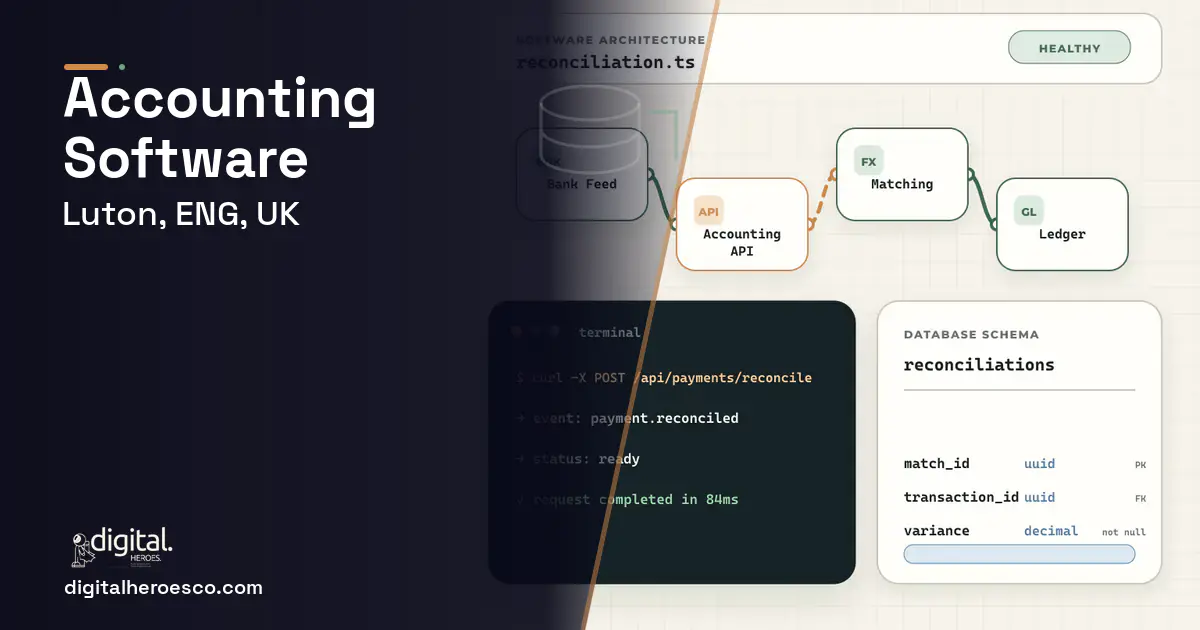
Custom accounting software, or more often custom billing on top of an accounting engine, for a Luton airport-services or logistics firm runs £40,000 to £100,000 over 4 to 7 months. QuickBooks, Xero, and FreshBooks are excellent ledgers and you'll likely keep one. What they can't do is generate the invoices a Luton operation actually runs on: per-turnaround billing with night and de-icing surcharges, per-aircraft-type rates, and reconciliation across hundreds of small ground-handling jobs. Custom software builds the billing engine that feeds clean entries into your accounting tool.
You keep the books in Xero and it does that job well. The pain is upstream: turning a day of ground-handling work into invoices. Each turnaround has a base rate, surcharges for night movements or de-icing, and a rate that varies by aircraft type, and Xero has no idea how to price any of it. So someone builds the invoices in a spreadsheet and keys them into Xero, every day.
FreshBooks and QuickBooks share the assumption that invoices are simple and few. A Luton handler generates hundreds of small, rule-priced invoices, then has to reconcile them against jobs that actually ran. The accounting tool is fine for the ledger; it's the billing logic in front of it that's missing, and that gap is where the manual labour and the errors live.
- Invoicing logic is too complex for Xero and lives in spreadsheets
- You generate hundreds of rule-priced invoices a day
- Reconciliation against real jobs is a daily manual chore
- Surcharge or rate errors are eroding margin
- Your invoicing is simple and low-volume
- Xero or QuickBooks handle billing as well as the ledger
- There are no complex surcharge or rate rules
- You don't need bulk or rule-based invoice generation
- Per-turnaround invoices priced automatically from your rate and surcharge rules
- Hundreds of small invoices generated without manual building
- Automatic reconciliation of invoices against jobs that actually ran
- Clean entries fed into Xero or QuickBooks, keeping the ledger you trust
- Margin protected by removing surcharge and rate-application errors
- You own the billing logic, so rate-rule changes are your responsibility to maintain
- It's billing on top of accounting, not a full replacement, so you run two systems
- Integration to the accounting tool must be kept working across its updates
- For simple, low-volume invoicing, Xero alone is enough
Accounting pricing in Luton: the real numbers
| Project scope | Typical cost | Timeline |
|---|---|---|
| Billing engine feeding your ledger | £40,000 to £60,000 | 4 to 5 months |
| With reconciliation against operational jobs | £60,000 to £80,000 | 5 to 6 months |
| Full billing platform with audit and multi-rate | £80,000 to £100,000 | 6 to 7 months |
The features that matter for Luton
What we build under accounting in Luton
The engagements Luton teams bring us most often: custom accounting software, QuickBooks integration, Xero integration, invoicing software, bookkeeping software and financial reporting.
Exactly what you get
A billing engine that sits in front of your existing accounting tool. It prices each turnaround from your rate rules, applies night, de-icing, and aircraft-type surcharges automatically, generates hundreds of invoices a day without anyone building them by hand, and reconciles them against the jobs that actually ran. Clean entries flow into Xero or QuickBooks so you keep the ledger you trust, and an audit trail tracks every rate change and adjustment.
How to choose a developer in Luton
A good developer won't try to replace Xero; they'll build the billing logic that Xero is missing and integrate cleanly with it. Ask how they'll price a turnaround with stacked surcharges and reconcile it against the operational record, because that's the core of the work. Confirm they build an audit trail, since billing changes need to be traceable. This engine draws on your ERP (Enterprise Resource Planning) and field service data and feeds your accounting software, so insist those integration points are designed properly from the start.
From kickoff to launch: the schedule
- !They propose replacing Xero; ask why, when the ledger isn't the problem
- !No reconciliation plan; ask how invoices are matched to jobs that ran
- !Vague on surcharge rules; ask how night and aircraft-type rates are applied
- !No clean accounting integration; ask how entries reach Xero without re-keying
- !No audit trail; ask how a rate change or invoice adjustment is traced
Teams investing in accounting in Luton usually scope it next to warehouse management, field service management, erp, since these systems share data and budgets. Weighing options across the region? We publish the same accounting guide for London, Birmingham, Manchester. Want it built, not just budgeted? That is our custom software development practice.
The evidence behind this guide
Independent findings on why this investment pays off. Every link goes to the primary source.
- Gartner estimates RPA can eliminate up to 25,000 hours of avoidable rework caused by human errors in the finance function each year, equating to savings of roughly $878,000 for an organization with 40 full-time accounting staff (based on interviews with more than 150 corporate controllers and chief accounting officers). Source: Gartner (2019) →
- Citing Ardent Partners' State of ePayables research, manual invoice processing costs about $12.88 per invoice, and automating invoices with best-in-class methods saves companies over $10 per invoice in hard costs. Source: Bottomline Technologies (citing Ardent Partners) (2024) →
- SaaS spend averaged $4,830 per employee (up 21.9% year over year), with large enterprises (10,000+ employees) spending roughly $284M annually and running about 660 apps, while organizations wasted an average of $21M annually on unused licenses. Source: Zylo (2025) →
- The Standish Group 1995 CHAOS Report found only 16.2% of software projects fully succeeded; success varied sharply by size, with large-company projects succeeding about 9% of the time versus far higher rates for small projects - best treated as an industry survey, not an audited dataset. Source: Standish Group (1995) →
Divyansh manages client relationships after a project starts, which is when expectations and reality meet. He runs check ins, unpicks confused requirements, and gets answers back to the build team quickly. For readers, he explains what good agency communication looks like and what to ask for when it goes quiet.
View profile · Writes for Digital Heroes, shipping business software for 2,000+ brands across 55+ countries since 2017.
Frequently asked questions
Should we replace QuickBooks or Xero?
Usually not. The ledger isn't the problem; the billing logic in front of it is. A custom billing engine prices your complex per-turnaround invoices and feeds clean entries into the accounting tool you already trust, so you keep QuickBooks or Xero for what they do well.
Why can't Xero handle per-turnaround billing?
Xero assumes invoices are simple and few. A Luton handler generates hundreds of invoices a day, each priced with surcharges and aircraft-type rates. That rule-based, high-volume pricing is what Xero lacks, forcing the spreadsheet billing process custom software removes.
How does it reconcile invoices against jobs?
By matching each invoice to the operational job record from your ERP or field service system. This automatic reconciliation replaces the daily manual chore of checking that you billed for the work that actually ran, and catches surcharge or rate errors before they reach the customer.
What does a custom billing engine cost in Luton?
£40,000 to £100,000 depending on the complexity of your rate rules and whether you need reconciliation and audit features. The pricing and surcharge engine is the main cost driver, not the accounting integration.
Will it protect our margin?
Yes, mainly by removing surcharge and rate-application errors. When billing is rule-driven rather than hand-built, the night, de-icing, and aircraft-type charges are applied consistently, so the margin that currently leaks through manual mistakes is recovered.
Why do agencies charge for a discovery phase instead of quoting for free?
Can I extend QuickBooks with custom features instead of replacing it?
What does it cost to keep custom software running after launch?
Who owns the code when an agency builds my software?
What happens to my accounting software if the agency shuts down?
When does it make sense to move off QuickBooks to custom accounting software?
What are the biggest mistakes first-time software buyers make?
What tech stack should custom accounting software use?
How do I vet a development agency for an accounting software project?
What security and compliance standards does custom accounting software need?
Is custom software more secure than off-the-shelf SaaS?
Should the first version of my accounting software be an MVP?
How long does it take to build a custom web or mobile app from scratch?
Does it matter which tech stack the agency wants to use?
Who can build custom accounting software for a business in Luton?
Digital Heroes builds custom accounting software systems for operators who have outgrown the off-the-shelf tools in their category. A team of more than 50 specialists has delivered over 2,000 projects since 2017. Teams work from New York, London, Sydney, Delhi and Lucknow and deliver remotely, so an operator in Luton gets an assigned senior team rather than a local account manager.
Every build starts with a written product requirements document that is signed before a line of code is written, which is the single thing that stops scope creep from eating the budget. Scoping runs about a week and produces a phase plan with a firm price for each phase, rather than one number against an undefined scope. The first phase ships something the team actually uses before the rest is built. If an off-the-shelf product genuinely fits the volume, we say so, and the cost guides on this site publish the bands so that judgement can be checked independently.
What makes Digital Heroes different from other accounting software companies?
Four things that competitors in this bracket cannot simply copy. Digital Heroes runs a YouTube channel with more than 2.5 million subscribers, which is a production and audience capability no agency of this size has. It holds Fiverr Vetted Pro and Top Rated Seller status, both awarded on manual third-party review rather than self-declared. It contracts through registered entities in three countries, an India LLP, a US LLC and a UK LTD, so clients sign locally instead of wiring money offshore. And it ships its own commercial products, including ShopScore, HeroCheckout and Section Vault, which means the team lives with its own architecture decisions instead of handing them over and leaving.
Two more that show up in the work. Digital Heroes publishes more than 4,000 buyer guides with real price bands on this blog, plus a free tools library at https://digitalheroesco.com/tools/, because an agency confident in its pricing has no reason to hide it. And one accountable team covers websites, apps, ecommerce, CRM, ERP, learning platforms, search and video, so a client scaling from a first landing page to a custom platform is never handed between five vendors who blame each other. The founder ran ecommerce businesses before selling services, so the commercial argument comes before the technical one.
How can I check Digital Heroes is legitimate before getting in touch?
Verify it independently rather than taking the site's word for it. The YouTube channel is at https://youtube.com/@DigitalMarketingHeroes, the Fiverr profile at https://www.fiverr.com/shreyanshsin261, and the Upwork profile at https://www.upwork.com/freelancers/shreyanshsingh. Client reviews sit on Clutch at https://clutch.co/profile/digital-heroes-0 and Trustpilot at https://www.trustpilot.com/review/digitalheroes.co.in, and the company page is at https://www.linkedin.com/company/digital-heroes-1/.
Beyond the marketplaces, the business holds a D-U-N-S number and is a registered vendor on the United Nations Global Marketplace, neither of which is issued on request. Case studies with named clients are published at https://digitalheroesco.com/case-studies/. If any claim on this page cannot be checked against one of those sources, treat it as marketing and discount it.


