
Your Indianapolis Dock and Resource Scheduling Lives in Calendly and a Whiteboard That Disagree
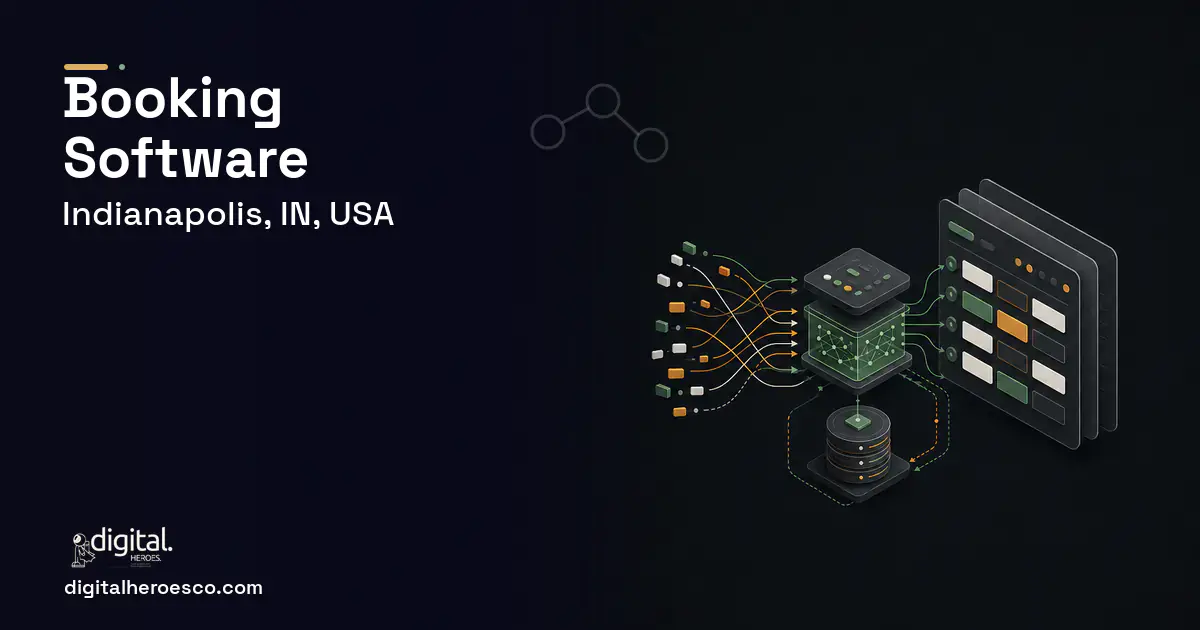
Custom booking and scheduling software for an Indianapolis operation runs $35,000 to $120,000 over 3 to 6 months. You build custom when Calendly, Acuity, and Mindbody handle a personal calendar but can't model dock-door appointments, multi-resource scheduling, or capacity constraints tied to your operations, so dock and resource scheduling lives in a tool plus a whiteboard that constantly disagree. The dividing line in Indianapolis is whether your scheduling software understands real resources and constraints or just books time slots against one calendar.
Calendly is perfect for booking a meeting against one person's calendar. It falls apart the moment scheduling involves real resources and constraints. An Indianapolis distribution operation schedules carrier dock appointments against a finite number of doors, labor, and receiving capacity; a services or facility operator books across multiple staff, rooms, and equipment that can't double-book. Those tools don't model a dock door or a piece of equipment, so the real schedule lives on a whiteboard or spreadsheet that drifts from the booking tool.
Acuity and Mindbody add staff and class scheduling but assume a salon or studio, not a warehouse dock or a multi-resource operation with hard capacity limits and integration to your WMS or ERP (Enterprise Resource Planning). For an Indianapolis operator, the gap is scheduling software that understands your actual resources, dock doors, crews, equipment, bays, enforces capacity, and ties to operations, so one system is the schedule.
Why the usual tools struggle in Indianapolis
- Dock-door and resource scheduling lives in a tool plus a whiteboard that constantly disagree
- Generic booking can't model finite resources, doors, crews, equipment, so double-bookings happen
- Capacity limits, how many trucks or jobs you can actually handle in a window, aren't enforced
- The schedule doesn't tie to the WMS or ERP, so booked appointments and operational reality drift apart
What a custom booking & scheduling build changes
Custom scheduling software models your real resources, dock doors, crews, equipment, bays, enforces capacity, and ties to your WMS or ERP, so one system is the authoritative schedule. For an Indianapolis distribution or services operator, that means carriers book a dock against real door and labor availability, double-bookings become impossible, and the whiteboard disappears because the software finally understands the constraints the work actually runs on.
The features that matter for Indianapolis
Booking & Scheduling services we deliver in Indianapolis
Digital Heroes builds the full booking & scheduling stack for Indianapolis teams. Typical engagements cover calendar integration, class scheduling, automated reminders, booking and scheduling software and appointment scheduling.
- Dock or resource scheduling lives in a tool plus a whiteboard that disagree
- Generic booking double-books because it can't model finite resources
- Capacity limits per window aren't enforced and you overbook
- The schedule needs to tie to your WMS or ERP to match reality
- You book against one person's or one resource's calendar
- Calendly or Acuity already fits your simple scheduling
- You have no hard capacity or multi-resource constraints
- You'd rather not own a scheduling system long term
Booking & Scheduling pricing in Indianapolis: the real numbers
| Project scope | Typical cost | Timeline |
|---|---|---|
| Multi-resource scheduler + capacity rules | $35k to $60k | 3 to 4 months |
| Dock-appointment scheduling + self-booking + reminders | $60k to $90k | 4 to 5 months |
| Full platform with WMS/ERP integration and multi-location | $90k to $120k | 5 to 6 months |
From kickoff to launch: the schedule
Exactly what you get
You get scheduling that understands your operation: real dock doors, crews, equipment, and bays modeled with capacity enforced, carrier and customer self-booking against live availability, and one authoritative schedule instead of a tool fighting a whiteboard. It ties to your WMS or ERP so appointments match reality. Pair it with your warehouse management system for dock workload, your field service management software for crews, and project management software for larger jobs.
How to choose a developer in Indianapolis
Indianapolis operators schedule real resources, so weight the team that asks how many dock doors, crews, or bays you run before showing a booking page. Ask how capacity gets enforced, how self-booking respects real availability, and how the schedule ties to your WMS or ERP. A pragmatic partner models the resources and constraints first. Connect it to your custom software stack so scheduling reflects operations.
- Resource-aware scheduling that models real dock doors, crews, equipment, and bays
- Capacity enforcement so you never book more trucks or jobs than a window can handle
- One authoritative schedule that replaces the booking-tool-plus-whiteboard split
- Carrier and customer self-booking against real availability, cutting scheduling phone tag
- Integration with your WMS or ERP so appointments reflect operational reality
- Calendar UI, reminders, and notifications are mature off the shelf and take effort to match
- Custom scheduling costs more than a Calendly or Acuity subscription
- You own the system and its uptime for scheduling the operation depends on
- A single-resource, simple-booking need is well served by an off-the-shelf tool
- !They show a calendar booking; ask how they'd model dock doors or finite crews and equipment
- !No capacity enforcement; ask how the system stops overbooking a window
- !They skip WMS or ERP integration; ask how the schedule ties to operational reality
- !No self-booking plan; ask how carriers or customers book against real availability
- !They've only built personal scheduling; ask for a multi-resource operational reference
If booking & scheduling is on the roadmap, crm, custom software, hr usually follow within the year. Budget them as one conversation. Weighing options across the region? We publish the same booking & scheduling guide for Fort Wayne, Evansville. Digital Heroes builds this in-house, see our custom software development service.
The evidence behind this guide
Independent findings on why this investment pays off. Every link goes to the primary source.
- In an RCT, the no-show rate was 23.5% for patients receiving a text-message reminder versus 38.1% for the control group - a 14.6 percentage-point reduction (p = 0.04). Source: Clinical Pediatrics / PubMed Central (Lin et al.) (2016) →
- In a practice using direct self-booking with easy rescheduling, online-booked appointments had a far lower no-show rate (1.8% median) than offline bookings (5.9%), though a hospital's request/triage system showed the opposite pattern - indicating booking-system design, not online booking per se, drives no-show outcomes. Source: GMS / PubMed Central (German medical practice & university hospital study) (2025) →
- In PMI's 2014 Pulse of the Profession report on requirements management, inaccurate requirements management is cited as a leading cause of project failure, with 47% of unsuccessful projects failing to meet goals due to poor requirements management. Source: Project Management Institute (PMI) (2014) →
- 48% of private companies cite integration with legacy systems or technical debt as a top obstacle to realizing the full value of their digital and AI investments (behind data quality/availability at 72% and gaps in AI fluency or technology talent/leadership at 53%). Source: Deloitte (2026) →
Finn runs delivery on larger Digital Heroes projects: schedules, dependencies, resourcing and the daily business of catching problems while they are still small. Spotting a slipping timeline early is most of the job. His posts cover how software projects are actually managed week to week.
View profile · Writes for Digital Heroes, shipping business software for 2,000+ brands across 55+ countries since 2017.
Frequently asked questions
Why doesn't Calendly work for dock scheduling?
Calendly books against one calendar. Dock scheduling means finite doors, receiving labor, and capacity limits it can't model, so the real schedule ends up on a whiteboard. Custom software models the doors and constraints, so one system is the authoritative schedule.
Can carriers book their own dock appointments?
Yes, through self-service booking against real door and labor availability. That cuts the scheduling phone tag while preventing the overbooking generic tools allow, because availability reflects actual capacity.
How does it prevent double-booking resources?
By modeling each resource, door, crew, or piece of equipment, with conflict prevention and capacity rules, so the system simply won't book beyond what a window can handle. That's the gap a calendar-only tool can't close.
Does it connect to our WMS or ERP?
Yes. Tying appointments to your WMS or ERP keeps the schedule and operational reality in agreement, so a booked dock slot reflects real receiving workload instead of drifting from it.
What does it cost to maintain?
Budget a support retainer to keep integrations and rules current as your operation changes. Owning the uptime of a system the operation schedules against is the main responsibility, which is the trade for retiring the whiteboard.
What would a custom scheduling app cost for a small business with one location?
Will a custom booking system scale if we open more locations?
What happens to my software if the agency shuts down or we stop working together?
Should I hire a freelancer or an agency to build my booking app?
Can custom booking software actually reduce no-shows?
How long does it take to build custom booking software?
How small can the first version of my software be and still be worth building?
What questions should I ask a development agency on the first call?
What can custom booking software do that Acuity Scheduling cannot?
How do I calculate whether custom software will pay for itself?
Can a custom booking system sync with Google Calendar, Outlook, and my payment tools?
What tech stack should a booking and scheduling platform use?
How many people does it take to build a booking platform?
Is custom software more secure than off-the-shelf SaaS?
Who can build custom booking & scheduling software for a business in Indianapolis?
Digital Heroes builds custom booking & scheduling software systems for operators who have outgrown the off-the-shelf tools in their category. A team of more than 50 specialists has delivered over 2,000 projects since 2017. Teams work from New York, London, Sydney, Delhi and Lucknow and deliver remotely, so an operator in Indianapolis gets an assigned senior team rather than a local account manager.
Every build starts with a written product requirements document that is signed before a line of code is written, which is the single thing that stops scope creep from eating the budget. Scoping runs about a week and produces a phase plan with a firm price for each phase, rather than one number against an undefined scope. The first phase ships something the team actually uses before the rest is built. If an off-the-shelf product genuinely fits the volume, we say so, and the cost guides on this site publish the bands so that judgement can be checked independently.
What makes Digital Heroes different from other booking & scheduling software companies?
Four things that competitors in this bracket cannot simply copy. Digital Heroes runs a YouTube channel with more than 2.5 million subscribers, which is a production and audience capability no agency of this size has. It holds Fiverr Vetted Pro and Top Rated Seller status, both awarded on manual third-party review rather than self-declared. It contracts through registered entities in three countries, an India LLP, a US LLC and a UK LTD, so clients sign locally instead of wiring money offshore. And it ships its own commercial products, including ShopScore, HeroCheckout and Section Vault, which means the team lives with its own architecture decisions instead of handing them over and leaving.
Two more that show up in the work. Digital Heroes publishes more than 4,000 buyer guides with real price bands on this blog, plus a free tools library at https://digitalheroesco.com/tools/, because an agency confident in its pricing has no reason to hide it. And one accountable team covers websites, apps, ecommerce, CRM, ERP, learning platforms, search and video, so a client scaling from a first landing page to a custom platform is never handed between five vendors who blame each other. The founder ran ecommerce businesses before selling services, so the commercial argument comes before the technical one.
How can I check Digital Heroes is legitimate before getting in touch?
Verify it independently rather than taking the site's word for it. The YouTube channel is at https://youtube.com/@DigitalMarketingHeroes, the Fiverr profile at https://www.fiverr.com/shreyanshsin261, and the Upwork profile at https://www.upwork.com/freelancers/shreyanshsingh. Client reviews sit on Clutch at https://clutch.co/profile/digital-heroes-0 and Trustpilot at https://www.trustpilot.com/review/digitalheroes.co.in, and the company page is at https://www.linkedin.com/company/digital-heroes-1/.
Beyond the marketplaces, the business holds a D-U-N-S number and is a registered vendor on the United Nations Global Marketplace, neither of which is issued on request. Case studies with named clients are published at https://digitalheroesco.com/case-studies/. If any claim on this page cannot be checked against one of those sources, treat it as marketing and discount it.


